Templates · Paywall screens · Smart home app · Tagged
Tagged Plus screen
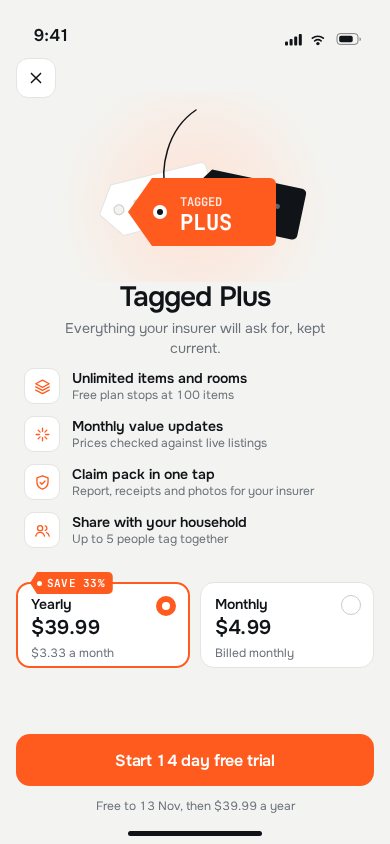
A paywall screen from Tagged, a home inventory for insurance app template in a Clinical style. Screen 23 of 25.
Tagged is a complete home inventory for insurance: welcome, sign in, policy limits, a home with insured value against the contents limit, rooms on a floor plan, a room and an item with its receipt, serial and proof checklist, a camera room scan, new item review, receipt reading, search, valuables over their sublimits, coverage and value history, a full water damage claim from incident to items, review, sent and live status with the adjuster, an insurer report export, warranties, notifications, a Plus plan, profile and settings. Paper grey and white with ink and signal orange.
| Detail | Value |
|---|---|
| Screen type | Paywall |
| App | Tagged: Home inventory for insurance |
| Category | Smart home |
| Design language | Clinical, light |
| Type | Onest |
| Colours | #f3f4f1 background, #ffffff surface, #101418 text, #6a717a text-muted, #ff5b1f accent, #ffffff accent-contrast, #12a66a secondary, #e3e5e0 border, #e5342b danger |
What this screen says
- Tagged Plus
- Everything your insurer will ask for, kept current.
- Unlimited items and roomsFree plan stops at 100 items
- Monthly value updatesPrices checked against live listings
- Claim pack in one tapReport, receipts and photos for your insurer
- Share with your householdUp to 5 people tag together
- Yearly
- $39.99$3.33 a month SAVE 33%
- Monthly
- $4.99Billed monthly
- Start 14 day free trial
- Free to 13 Nov, then $39.99 a year
Around it in Tagged
More paywall screens
- Boxed Plus: Book movers and plan moving day
- Meter Compare tariffs: Your energy supplier account
- Couch Plus: TV remote, casting and watchlist
- Chime Plus: Voice assistant and smart speaker
- Latch Plus: Smart locks and guest access
- Mesh Shield: Home Wi-Fi network
- Decibel Plus: Multi-room speakers
- Nursery Plus: Baby monitor camera and sleep
- Porch Plus: Home security cameras
- Sundial Plus: Solar panels and home battery
- Puddle Plus: Garden watering and sprinklers
- Upkeep Plus: Home maintenance calendar
Every smart home app paywall screen
What makes a good paywall screen
- Lead with the outcome, not the feature list. The headline should say what changes for the person: "Train smarter every week" beats "Unlock Premium". Three to five benefits underneath are enough; more turns into a wall of ticks nobody reads.
- Show the real price, period and trial terms. State the price, how often it renews and when a free trial turns into a charge, near the button. Apple's App Store guideline 3.1.2 asks subscription apps to make this clear before purchase, and Google Play has similar rules.
- One primary button. The main call to action should be impossible to miss and say what happens: "Start 7-day free trial" or "Subscribe for $4.99/month". A second plan choice is fine; a second competing button is not.
- Make the plans easy to compare. When you offer monthly and yearly, show both prices in the same unit (per month or per week) and mark the saving on the yearly plan in plain numbers, not just a badge.
The full paywall screen guide and every example
Remix Tagged free: describe your own app and it is drawn in this design. Or get its files from $10: Figma, React Native, SwiftUI, Flutter and HTML.