Templates · Paywall screens · Smart home app · Sundial
Sundial Plus screen
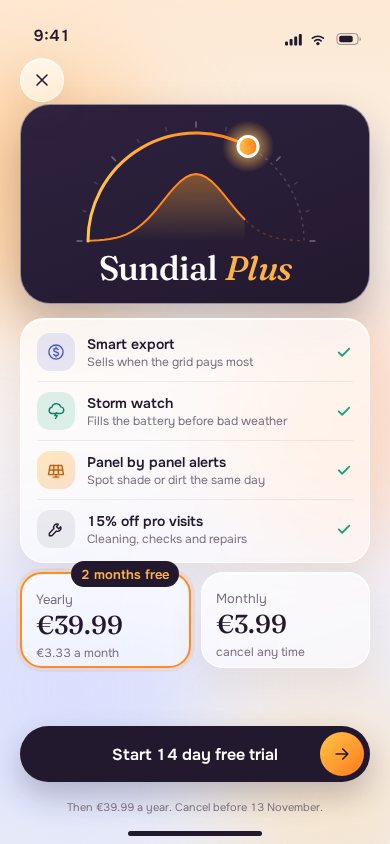
A paywall screen from Sundial, a solar panels and home battery app template in a Glass style. Screen 22 of 25.
Sundial is a complete solar and home battery app: welcome, sign in and connecting the inverter hub, a today screen built around a sundial arc, a live energy flow between roof, battery, home and grid, the battery with its backup reserve and modes, a roof map of every panel and a single panel's output, a seven day sun forecast, history and savings, smart devices with solar only car charging, automation rules, grid export earnings, booking a panel clean with a local installer through to confirmation, a Plus plan, notifications, profile and settings. Apricot and lilac glass with marigold, teal and periwinkle.
| Detail | Value |
|---|---|
| Screen type | Paywall |
| App | Sundial: Solar panels and home battery |
| Category | Smart home |
| Design language | Glass, light |
| Type | Fraunces for headings, Onest for text |
| Colours | #faf1e8 background, #ffffff surface, #23192e text, #7a6f7f text-muted, #ff8a1f accent, #23192e accent-contrast, #16a37a secondary, #6c7bd9 grid, #ffffff border, #e5484d danger |
What this screen says
- Sundial Plus
- Smart export
- Sells when the grid pays most
- Storm watch
- Fills the battery before bad weather
- Panel by panel alerts
- Spot shade or dirt the same day
- 15% off pro visits
- Cleaning, checks and repairs
- 2 months free Yearly €39.99€3.33 a month
- Monthly €3.99cancel any time
- Start 14 day free trial
- Then €39.99 a year. Cancel before 13 November.
Around it in Sundial
More paywall screens
- Lobby Plus: Apartment building app
- Sweep Plus: Robot vacuum and mop
- Dusk Plus: Smart home scenarios
- Lumen Plus: Smart home energy
- Abode Plus: Smart home devices
- Boxed Plus: Book movers and plan moving day
- Meter Compare tariffs: Your energy supplier account
- Couch Plus: TV remote, casting and watchlist
- Chime Plus: Voice assistant and smart speaker
- Latch Plus: Smart locks and guest access
- Mesh Shield: Home Wi-Fi network
- Decibel Plus: Multi-room speakers
Every smart home app paywall screen
What makes a good paywall screen
- Lead with the outcome, not the feature list. The headline should say what changes for the person: "Train smarter every week" beats "Unlock Premium". Three to five benefits underneath are enough; more turns into a wall of ticks nobody reads.
- Show the real price, period and trial terms. State the price, how often it renews and when a free trial turns into a charge, near the button. Apple's App Store guideline 3.1.2 asks subscription apps to make this clear before purchase, and Google Play has similar rules.
- One primary button. The main call to action should be impossible to miss and say what happens: "Start 7-day free trial" or "Subscribe for $4.99/month". A second plan choice is fine; a second competing button is not.
- Make the plans easy to compare. When you offer monthly and yearly, show both prices in the same unit (per month or per week) and mark the saving on the yearly plan in plain numbers, not just a badge.
The full paywall screen guide and every example
Remix Sundial free: describe your own app and it is drawn in this design. Or get its files from $10: Figma, React Native, SwiftUI, Flutter and HTML.