Templates · Onboarding screens · Education app · Stacks
Stacks Welcome screen
An onboarding screen from Stacks, an education app template in a Playful style. Screen 1 of 25.
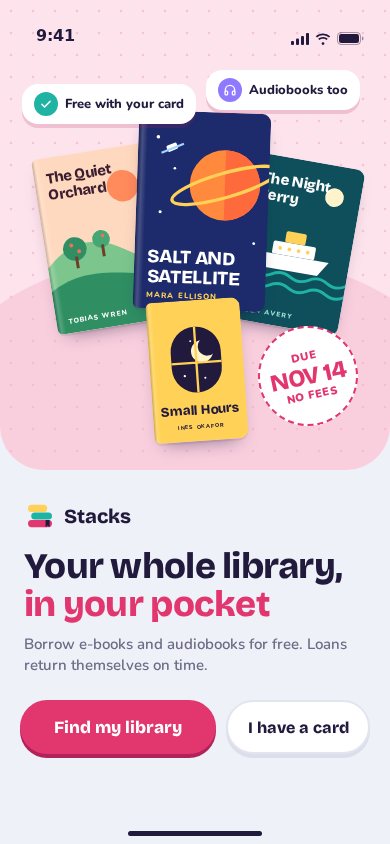
Stacks is a complete library lending app: welcome, finding your library and adding a library card, a home with the book you are reading and a hold that is ready, browsing the collection, search with availability, a title page with copies, borrowing with a lending period and a success screen, placing a hold with an estimated wait and your place in line, loans with renew and return, holds, a reader with highlights and reading options, an audiobook player, tags, a timeline, a reading year dashboard, notifications, a supporter plan, profile with library cards and settings. Cool cloud white with raspberry, teal and butter.
| Detail | Value |
|---|---|
| Screen type | Onboarding |
| App | Stacks: Borrow e-books and audiobooks from your library |
| Category | Education |
| Design language | Playful, light |
| Type | Bricolage Grotesque for headings, Nunito for text |
| Colours | #eef1f8 background, #ffffff surface, #221a3d text, #6f6a86 text-muted, #e2366f accent, #ffffff accent-contrast, #1fb3a3 secondary, #e2e4ef border, #ffd257 warning |
What this screen says
- Free with your card
- Audiobooks too
- DueNov 14No fees
- Stacks
- Your whole library, in your pocket
- Borrow e-books and audiobooks for free. Loans return themselves on time.
- Find my library
- I have a card
Around it in Stacks
More onboarding screens
- Chalk Welcome: Design courses
- Encore Welcome: Creator courses
- Classroom Welcome: Class stream and assignments
- Studyhall Welcome: Free lessons and practice for school
- Tutor Welcome: Book online tutors for any skill
- Leaf Welcome: E-books and reading
- Almanac Welcome: The free encyclopedia reader
- Tiles Welcome: Daily word and number puzzles
- Penpal Welcome: Language exchange chat
- Lexis Welcome: A word a day
- Quanta Welcome: Interactive physics lessons
- Cram Welcome: Exam prep and mock tests
Every education app onboarding screen
What makes a good onboarding screen
- One idea per screen. Each screen should say one thing in a headline people can read in a second. If a screen needs a paragraph, it is doing too much.
- Personalise with a purpose. Ask a question only if the answer changes what people see next, like a goal, a level or an interest. Then show that the answer mattered.
- Explain permissions before asking. Show your own screen saying why you need notifications, location or the camera before the system prompt. People who understand the reason are more likely to allow it.
- Let people skip. A visible skip or "I'll do this later" respects returning users and the impatient. Make sure skipping still lands them somewhere useful.
The full onboarding screen guide and every example
Remix Stacks free: describe your own app and it is drawn in this design. Or get its files from $10: Figma, React Native, SwiftUI, Flutter and HTML.