Templates · Onboarding screens · Education app · Almanac
Almanac Welcome screen
An onboarding screen from Almanac, an education app template in a Minimal style. Screen 1 of 25.
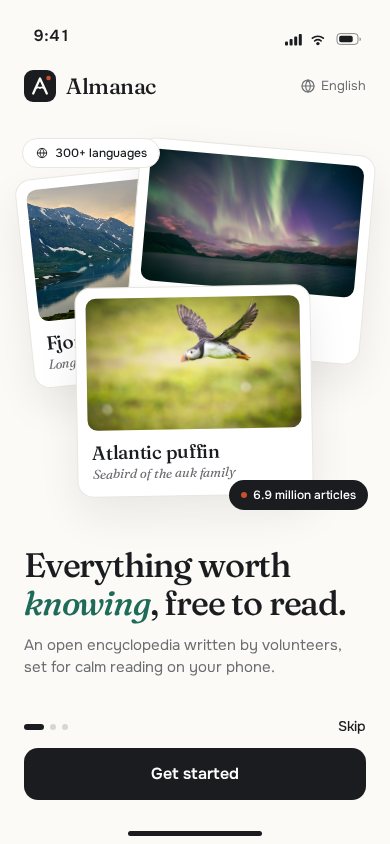
Almanac is a complete encyclopedia reader: welcome, sign in, an explore feed with the featured article, trending reads, on this day and the picture of the day, a full article with contents, quick facts and link previews, search with suggestions and results, saved reading lists, a map of articles nearby, page history, talk threads, section editing, the same article in 74 languages, reading stats, and a supporter plan with a donation, receipt, notifications, profile and settings. Paper white and ink, with viridian links and one vermilion accent.
| Detail | Value |
|---|---|
| Screen type | Onboarding |
| App | Almanac: The free encyclopedia reader |
| Category | Education |
| Design language | Minimal, light |
| Type | Fraunces for headings, Onest for text |
| Colours | #fbfaf6 background, #ffffff surface, #1a1c1f text, #6c6e72 text-muted, #1d6b58 accent, #e3efe9 accent-tint, #c8502f secondary, #f3efe5 parchment, #e8e6df border |
What this screen says
- Almanac English
- Fjord
- Long, deep inlet carved by a glacier
- Aurora
- Light display in polar skies
- Atlantic puffin
- Seabird of the auk family
- 6.9 million articles
- 300+ languages
- Everything worth knowing, free to read.
- An open encyclopedia written by volunteers, set for calm reading on your phone.
- Skip
- Get started
Around it in Almanac
More onboarding screens
- Buzzer Welcome: Live trivia
- Homeroom Welcome: School, all on one page
- Parla Welcome: Language learning
- Recall Welcome: Flashcards and spaced repetition
- Numo Welcome: Kids maths game
- Syntax Welcome: Learn to code
- Tuckin Welcome: Bedtime stories for kids
- Zenith Welcome: Night sky guide
- Chalk Welcome: Design courses
- Encore Welcome: Creator courses
- Classroom Welcome: Class stream and assignments
- Studyhall Welcome: Free lessons and practice for school
Every education app onboarding screen
What makes a good onboarding screen
- One idea per screen. Each screen should say one thing in a headline people can read in a second. If a screen needs a paragraph, it is doing too much.
- Personalise with a purpose. Ask a question only if the answer changes what people see next, like a goal, a level or an interest. Then show that the answer mattered.
- Explain permissions before asking. Show your own screen saying why you need notifications, location or the camera before the system prompt. People who understand the reason are more likely to allow it.
- Let people skip. A visible skip or "I'll do this later" respects returning users and the impatient. Make sure skipping still lands them somewhere useful.
The full onboarding screen guide and every example
Remix Almanac free: describe your own app and it is drawn in this design. Or get its files from $10: Figma, React Native, SwiftUI, Flutter and HTML.