Templates · Success and confirmation screens · Lifestyle app · Specs
Specs Order placed screen
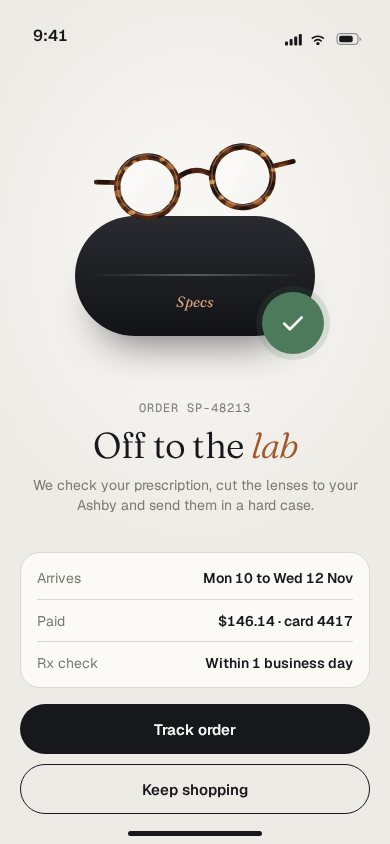
A success screen from Specs, a glasses with virtual try-on app template in a Luxury style. Screen 16 of 25.
Specs is a complete eyewear app: welcome, a fit quiz, sign in, a shop home, browse and filters by width, shape and colour, a frame page with its measurements, a camera try-on with frames on your face, saved looks to compare, a five frame home try-on box, lenses, coatings and prescription, bag, checkout and order placed, lab tracking, eye exam booking and confirmation, contacts reorder, an eye health dashboard, a club plan, notifications, profile and settings. Stone and porcelain with ink and tortoise amber.
| Detail | Value |
|---|---|
| Screen type | Success |
| App | Specs: Glasses with virtual try-on |
| Category | Lifestyle |
| Design language | Luxury, light |
| Type | Fraunces for headings, Geist for text |
| Colours | #ecebe6 background, #fbfaf7 surface, #17181c text, #7b7870 text-muted, #a3562a accent, #ffffff accent-contrast, #2c3a55 secondary, #dcd8cf border, #b5432f danger |
What this screen says
- Specs
- ORDER SP-48213
- Off to the lab
- We check your prescription, cut the lenses to your Ashby and send them in a hard case.
- Arrives Mon 10 to Wed 12 Nov
- Paid $146.14 · card 4417
- Rx check Within 1 business day
- Track order
- Keep shopping
Around it in Specs
More success and confirmation screens
- Kibble Order placed: Pet supplies and autoship
- Filmlog Logged: Film diary and reviews
- Guardrail Approved: Parental controls and screen time
- Collar Walk saved: GPS pet tracker
- Postage Label: Send parcels and find drop-off points
- Circuit Order placed: Electronics store with trade-in and repairs
- Provenance Order placed: Authenticated luxury resale
- Gavel Bid placed: Live online auctions
- Tidy Booked: Book home cleaners
- Dorm Booked: Find student housing
- Hem Booked: Tailoring and alterations, collected
- Lendly Request sent: Borrow things from neighbours
Every lifestyle app success screen
What makes a good confirmation screen
- Confirm in the headline. "Payment sent", "Table booked for Friday at 8" or "Lesson complete" in plain words, with a clear success colour or icon.
- Repeat the key details. Amount, date, reference number or score, so people do not need to check elsewhere that the right thing happened.
- Say what happens next. When the order arrives, when the money lands, when the next lesson unlocks.
- Offer the next step. Track the order, add to calendar, share, or start the next lesson. One primary action and a way back home.
The full confirmation screen guide and every example
Remix Specs free: describe your own app and it is drawn in this design. Or get its files from $10: Figma, React Native, SwiftUI, Flutter and HTML.