Templates · Success and confirmation screens · Lifestyle app · Guardrail
Guardrail Approved screen
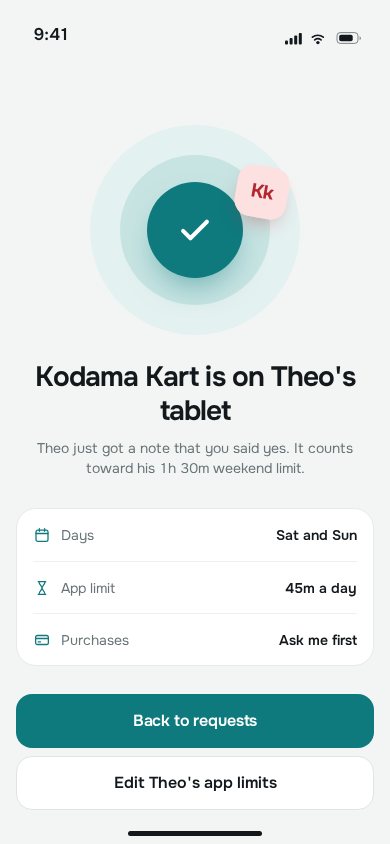
A success screen from Guardrail, a parental controls and screen time app template in a Minimal style. Screen 15 of 25.
Guardrail is a complete family screen time app for parents: welcome, adding a child, sign in and linking a device, a family home with each child's day rail, a child overview, weekly activity, per app usage, daily and app limits, a bedtime dial, school time, app approval requests with an approved screen, bonus time, content filters by age, live location, devices with lock and ring, notifications, a Plus plan, profile and settings. Pale mist and white with petrol teal, dusk indigo and a warm amber for bonus time.
| Detail | Value |
|---|---|
| Screen type | Success |
| App | Guardrail: Parental controls and screen time |
| Category | Lifestyle |
| Design language | Minimal, light |
| Type | Onest |
| Colours | #f3f5f4 background, #ffffff surface, #12181b text, #687476 text-muted, #0e7a7e accent, #ffffff accent-contrast, #3d3f8f secondary, #e6eae9 border, #e5603f danger |
What this screen says
- Kk
- Kodama Kart is on Theo's tablet
- Theo just got a note that you said yes. It counts toward his 1h 30m weekend limit.
- DaysSat and Sun
- App limit45m a day
- PurchasesAsk me first
- Back to requests
- Edit Theo's app limits
Around it in Guardrail
More success and confirmation screens
- Vetly Booked: Pet health record
- Stitch Finished: A knitting companion drawn as one big knitting chart
- Roost Chore done: Your shared house, stuck to the fridge door
- Trellis Harvest logged: Vegetable garden planner
- Grain Exported: Camera and photo editor
- Posy Confirmed: Flower delivery and weekly stems
- Fern Watered: Plant care
- Doorstep Viewing booked: Homes for sale and rent
- Rewear Listed: Secondhand fashion marketplace
- Laced Entry confirmed: Sneaker drops and raffles
- Gloss Booked: Salon and spa booking
- Vow Visit booked: Wedding planner
Every lifestyle app success screen
What makes a good confirmation screen
- Confirm in the headline. "Payment sent", "Table booked for Friday at 8" or "Lesson complete" in plain words, with a clear success colour or icon.
- Repeat the key details. Amount, date, reference number or score, so people do not need to check elsewhere that the right thing happened.
- Say what happens next. When the order arrives, when the money lands, when the next lesson unlocks.
- Offer the next step. Track the order, add to calendar, share, or start the next lesson. One primary action and a way back home.
The full confirmation screen guide and every example
Remix Guardrail free: describe your own app and it is drawn in this design. Or get its files from $10: Figma, React Native, SwiftUI, Flutter and HTML.