Templates · Success and confirmation screens · Lifestyle app · Dorm
Dorm Booked screen
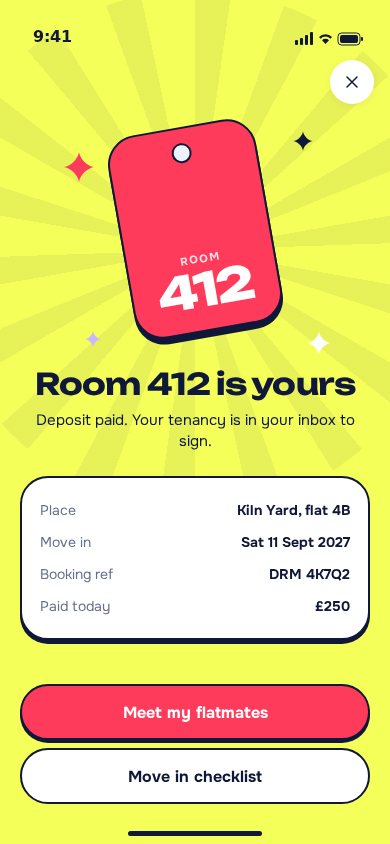
A success screen from Dorm, a find student housing app template in a Gen Z style. Screen 16 of 25.
Dorm is a complete student housing app: welcome, pick your university, sign in, a home that picks up your application, search with filters, a price pin map, a property page with room types, amenities and commute times, a room page with a floor plan, a virtual tour, a commute planner, compare, saved places, a three step application, deposit checkout and a booking confirmed key fob, flatmate matching and a flatmate profile, chat with the property team, payments, a move in checklist, Dorm Plus, notifications, profile and settings. Sky milk and white with cherry, lemon, lilac and ink.
| Detail | Value |
|---|---|
| Screen type | Success |
| App | Dorm: Find student housing |
| Category | Lifestyle |
| Design language | Gen Z, light |
| Type | Unbounded for headings, Onest for text |
| Colours | #edf2ff background, #ffffff surface, #10183a text, #66708f text-muted, #ff3b5c accent, #ffffff accent-contrast, #f4ff5a secondary, #dbe3f6 border, #22c58b success, #c9b8ff tertiary |
What this screen says
- Room412
- Room 412 is yours
- Deposit paid. Your tenancy is in your inbox to sign.
- Place Kiln Yard, flat 4B
- Move in Sat 11 Sept 2027
- Booking ref DRM 4K7Q2
- Paid today £250
- Meet my flatmates
- Move in checklist
Around it in Dorm
More success and confirmation screens
- Kibble Order placed: Pet supplies and autoship
- Filmlog Logged: Film diary and reviews
- Guardrail Approved: Parental controls and screen time
- Collar Walk saved: GPS pet tracker
- Postage Label: Send parcels and find drop-off points
- Specs Order placed: Glasses with virtual try-on
- Circuit Order placed: Electronics store with trade-in and repairs
- Provenance Order placed: Authenticated luxury resale
- Gavel Bid placed: Live online auctions
- Tidy Booked: Book home cleaners
- Hem Booked: Tailoring and alterations, collected
- Lendly Request sent: Borrow things from neighbours
Every lifestyle app success screen
What makes a good confirmation screen
- Confirm in the headline. "Payment sent", "Table booked for Friday at 8" or "Lesson complete" in plain words, with a clear success colour or icon.
- Repeat the key details. Amount, date, reference number or score, so people do not need to check elsewhere that the right thing happened.
- Say what happens next. When the order arrives, when the money lands, when the next lesson unlocks.
- Offer the next step. Track the order, add to calendar, share, or start the next lesson. One primary action and a way back home.
The full confirmation screen guide and every example
Remix Dorm free: describe your own app and it is drawn in this design. Or get its files from $10: Figma, React Native, SwiftUI, Flutter and HTML.