Templates · Settings screens · Social app · Snoot
Snoot Settings screen
A settings screen from Snoot, a social app for pets app template in a Dark-first style. Screen 25 of 25.
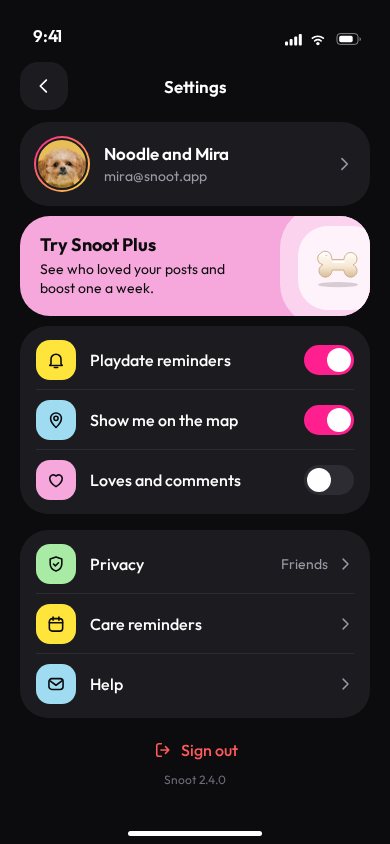
Snoot is a complete social app for pets: onboarding, sign in, adding a pet, a photo feed with stories, posts and comments, an explore screen for pets, parks, vets, food and schools, a dark map with a glowing route, place and pet profiles, playdates from plan to confirmation, messages, notifications, pet stats, a care log, a paid plan, profile and settings. Black and charcoal with hot pink, a yellow glow and candy pastels.
| Detail | Value |
|---|---|
| Screen type | Settings |
| App | Snoot: Social app for pets |
| Category | Social |
| Design language | Dark-first, dark |
| Type | Outfit |
| Colours | #0c0c0e background, #1c1c20 surface, #ffffff text, #9a9aa6 text-muted, #ff1f8f accent, #ffffff accent-contrast, #ffe24a secondary, #2c2c32 border, #ff5a5a danger |
What this screen says
- Settings
- Noodle and Mira
- mira@snoot.app
- Try Snoot Plus
- See who loved your posts and boost one a week.
- Playdate reminders
- Show me on the map
- Loves and comments
- Privacy
- Friends
- Care reminders
- Help
- Sign out
- Snoot 2.4.0
Around it in Snoot
More settings screens
- Ballot Settings: Settle it on paper
- Murmur Settings: Chat rooms for art lovers
- Wink Settings: Video first dating
- Huddle Settings: Interest groups and meetups
- Glade Settings: Photo and clip social network
- Onair Settings: Live streaming
- Drift Settings: Reels and voice rooms
- Glitz Settings: Party live streaming
- Hearth Privacy: Messenger for trips and circles
- Chirp Settings: Messenger with file sharing
- Banter Privacy: Live messenger
- Natter Settings: Minimal messenger
Every social app settings screen
What makes a good settings screen
- Group options into clear sections. Account, notifications, privacy, appearance and help, with headings, so people scan to the right group.
- Label settings by their effect. "Daily reminder at 8:00" is clearer than "Reminders". Add a short description under options that need one.
- Use the right control. Toggles for on and off, a row that opens a list for choices, and sliders only for ranges.
- Apply changes immediately. Most mobile settings take effect when changed, with no Save button to forget.
The full settings screen guide and every example
Remix Snoot free: describe your own app and it is drawn in this design. Or get its files from $10: Figma, React Native, SwiftUI, Flutter and HTML.