Templates · Onboarding screens · Lifestyle app · Provenance
Provenance Welcome screen
An onboarding screen from Provenance, an authenticated luxury resale app template in a Luxury style. Screen 1 of 25.
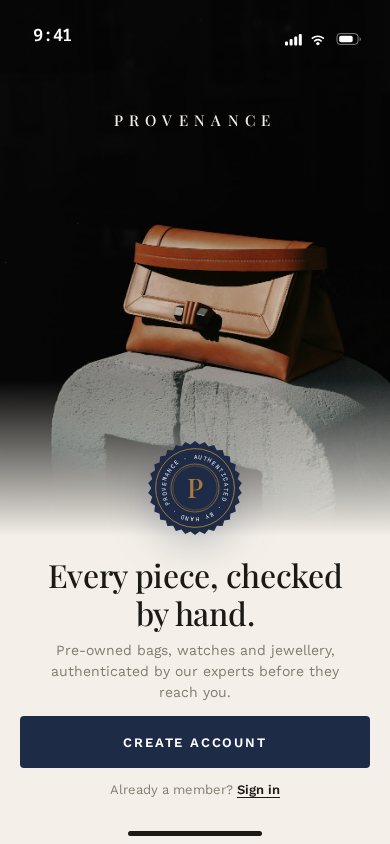
Provenance is a complete luxury resale app: welcome, a taste edit, sign in, a shop home with price drops, search, results, an item page with its condition grade and authentication report, offers, a designer page, watches, saved items, bag, checkout, a placed order and live tracking through the final check, then the consign side: payout estimate, pickup booking and confirmation, an earnings dashboard, notifications, a Circle membership, account and settings. Vellum and ivory with ink navy, antique brass and a brick red for price drops.
| Detail | Value |
|---|---|
| Screen type | Onboarding |
| App | Provenance: Authenticated luxury resale |
| Category | Lifestyle |
| Design language | Luxury, light |
| Type | Playfair Display for headings, Work Sans for text |
| Colours | #f4f0e9 background, #fffdf9 surface, #1c1a17 text, #857c70 text-muted, #1e2b47 accent, #ffffff accent-contrast, #a87a3d secondary, #e3dbcd border, #b5452d danger |
What this screen says
- PROVENANCE
- Every piece, checked by hand.
- Pre-owned bags, watches and jewellery, authenticated by our experts before they reach you.
- Create account
- Already a member? Sign in
Around it in Provenance
More onboarding screens
- Tasker Welcome: Book and do local odd jobs
- Toolbox Welcome: Hardware store and project lists
- Brief Welcome: News in sixty words
- Kibble Welcome: Pet supplies and autoship
- Filmlog Welcome: Film diary and reviews
- Guardrail Welcome: Parental controls and screen time
- Collar Welcome: GPS pet tracker
- Postage Welcome: Send parcels and find drop-off points
- Specs Welcome: Glasses with virtual try-on
- Circuit Welcome: Electronics store with trade-in and repairs
- Gavel Welcome: Live online auctions
- Tidy Welcome: Book home cleaners
Every lifestyle app onboarding screen
What makes a good onboarding screen
- One idea per screen. Each screen should say one thing in a headline people can read in a second. If a screen needs a paragraph, it is doing too much.
- Personalise with a purpose. Ask a question only if the answer changes what people see next, like a goal, a level or an interest. Then show that the answer mattered.
- Explain permissions before asking. Show your own screen saying why you need notifications, location or the camera before the system prompt. People who understand the reason are more likely to allow it.
- Let people skip. A visible skip or "I'll do this later" respects returning users and the impatient. Make sure skipping still lands them somewhere useful.
The full onboarding screen guide and every example
Remix Provenance free: describe your own app and it is drawn in this design. Or get its files from $10: Figma, React Native, SwiftUI, Flutter and HTML.