Templates · Onboarding screens · Lifestyle app · Kibble
Kibble Welcome screen
An onboarding screen from Kibble, a pet supplies and autoship app template in a Playful style. Screen 1 of 25.
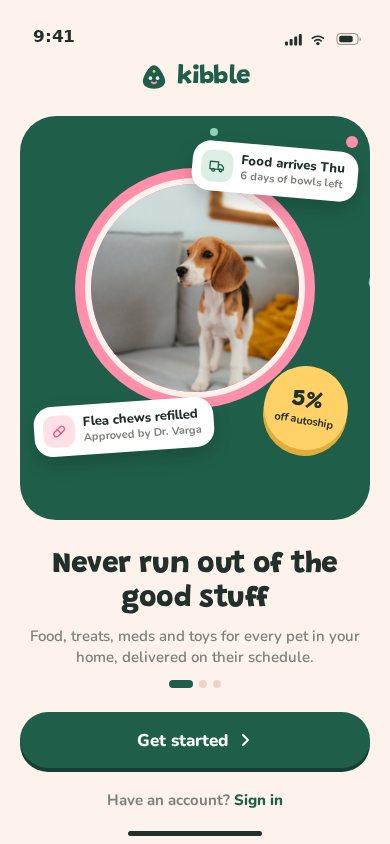
Kibble is a complete pet supplies app: welcome and pet setup, sign in, a home that knows when the food runs out, shop by pet, search with filters, a product page with sizes and autoship savings, reviews, cart, checkout and confirmation, live delivery tracking, orders, autoship schedules and edits, pet profiles with weight and diet, a pharmacy with refill requests, a vet chat, a spend dashboard, a membership plan, notifications, account and settings. Blush cream and white with deep pine green, bubblegum pink and butter yellow.
| Detail | Value |
|---|---|
| Screen type | Onboarding |
| App | Kibble: Pet supplies and autoship |
| Category | Lifestyle |
| Design language | Playful, light |
| Type | Grandstander for headings, Nunito for text |
| Colours | #fdf2ec background, #ffffff surface, #22302b text, #7d817a text-muted, #1f5f4a primary, #143f31 primary-ledge, #ff8fab accent, #e8557e accent-strong, #ffd166 highlight, #dcefe4 mint-tint, #ffe0e6 pink-tint, #fff1c9 butter-tint, #dfeefa sky-tint, #f1e1d8 border |
What this screen says
- kibble
- Food arrives Thu6 days of bowls left
- Flea chews refilledApproved by Dr. Varga
- 5%off autoship
- Never run out of the good stuff
- Food, treats, meds and toys for every pet in your home, delivered on their schedule.
- Get started
- Have an account? Sign in
Around it in Kibble
More onboarding screens
- Sable Welcome: Fashion store
- Bazaar Welcome: Local buy and sell
- Kiln Welcome: Handmade marketplace
- Drape Welcome: AI wardrobe and daily outfits
- Mane Welcome: AI hairstyle try-on
- Annex Welcome: AI interior redesign
- Kino Welcome: Film and series streaming
- Waybill Welcome: Every parcel, read like its label
- Torque Welcome: The workshop manual for your own car
- Vetly Welcome: Pet health record
- Stitch Welcome: A knitting companion drawn as one big knitting chart
- Roost Welcome: Your shared house, stuck to the fridge door
Every lifestyle app onboarding screen
What makes a good onboarding screen
- One idea per screen. Each screen should say one thing in a headline people can read in a second. If a screen needs a paragraph, it is doing too much.
- Personalise with a purpose. Ask a question only if the answer changes what people see next, like a goal, a level or an interest. Then show that the answer mattered.
- Explain permissions before asking. Show your own screen saying why you need notifications, location or the camera before the system prompt. People who understand the reason are more likely to allow it.
- Let people skip. A visible skip or "I'll do this later" respects returning users and the impatient. Make sure skipping still lands them somewhere useful.
The full onboarding screen guide and every example
Remix Kibble free: describe your own app and it is drawn in this design. Or get its files from $10: Figma, React Native, SwiftUI, Flutter and HTML.