Templates · Settings screens · Social app · Pledge
Pledge Settings screen
A settings screen from Pledge, a back creative projects app template in a Minimal style. Screen 25 of 25.
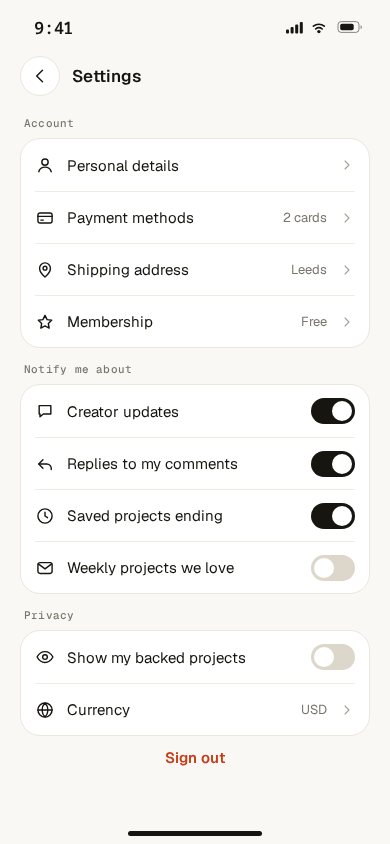
Pledge is a complete crowdfunding app for backers and creators: welcome, interests, sign in, a discover feed, search and category browsing, a project page with its funding line, a campaign video, reward tiers, add-ons, pledge checkout and confirmation, backed projects with pledge status, creator updates and comments, a creator profile, a creator dashboard with funding over time, a new project form, activity, saved projects, a membership plan, profile and settings. Paper white and ink with a single persimmon accent.
| Detail | Value |
|---|---|
| Screen type | Settings |
| App | Pledge: Back creative projects |
| Category | Social |
| Design language | Minimal, light |
| Type | Bricolage Grotesque for headings, Geist for text |
| Colours | #faf8f5 background, #ffffff surface, #17150f text, #7a756c text-muted, #f2552c accent, #fde9e1 accent-soft, #17150f secondary, #ebe6de border, #2f6bd8 info |
What this screen says
- Settings
- Account
- Personal details
- Payment methods 2 cards
- Shipping address Leeds
- Membership Free
- Notify me about
- Creator updates
- Replies to my comments
- Saved projects ending
- Weekly projects we love
- Privacy
- Show my backed projects
- Currency USD
- Sign out
Around it in Pledge
More settings screens
- Wink Settings: Video first dating
- Snoot Settings: Social app for pets
- Huddle Settings: Interest groups and meetups
- Glade Settings: Photo and clip social network
- Onair Settings: Live streaming
- Drift Settings: Reels and voice rooms
- Glitz Settings: Party live streaming
- Hearth Privacy: Messenger for trips and circles
- Chirp Settings: Messenger with file sharing
- Banter Privacy: Live messenger
- Natter Settings: Minimal messenger
- Nearly Settings: Dating by crossed paths
Every social app settings screen
What makes a good settings screen
- Group options into clear sections. Account, notifications, privacy, appearance and help, with headings, so people scan to the right group.
- Label settings by their effect. "Daily reminder at 8:00" is clearer than "Reminders". Add a short description under options that need one.
- Use the right control. Toggles for on and off, a row that opens a list for choices, and sliders only for ranges.
- Apply changes immediately. Most mobile settings take effect when changed, with no Save button to forget.
The full settings screen guide and every example
Remix Pledge free: describe your own app and it is drawn in this design. Or get its files from $10: Figma, React Native, SwiftUI, Flutter and HTML.