Templates · Settings screens · Finance app · Later
Later Settings screen
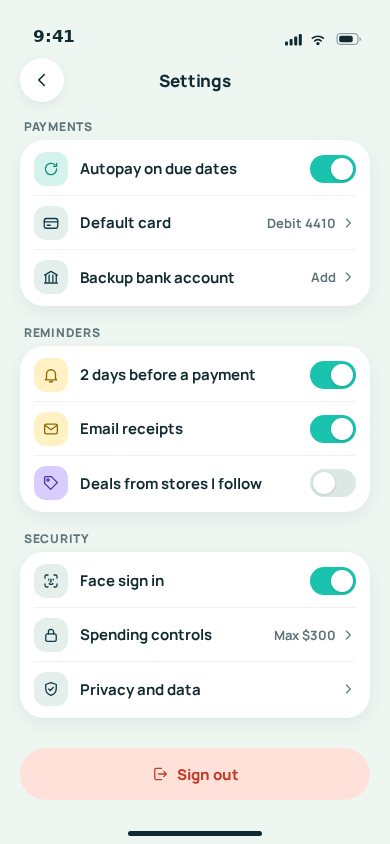
A settings screen from Later, a finance app template in a Playful style. Screen 25 of 25.
Later is a complete pay in four shopping app: welcome, how it works, sign in and a code, a home with the next payment and spending limit, a shop directory, search, a store, a product, a checkout that shows all four payments, approval, a payments calendar, purchase details, paying early, a return that pauses payments, purchases, spending limit, monthly spending, a one-time card, deals, a plus plan, notifications, profile and settings. Pale mint and white with deep sea teal, turquoise, sunflower and a coral for what is due.
| Detail | Value |
|---|---|
| Screen type | Settings |
| App | Later: Buy now, pay in four |
| Category | Finance |
| Design language | Playful, light |
| Type | Unbounded for headings, Manrope for text |
| Colours | #eef6f2 background, #ffffff surface, #0f2a30 text, #5f7479 text-muted, #0f3d46 primary, #19c3ad accent, #ffcc3f secondary, #dbe8e3 border, #ff6d57 danger |
What this screen says
- Settings
- Payments
- Autopay on due dates
- Default cardDebit 4410
- Backup bank accountAdd
- Reminders
- 2 days before a payment
- Email receipts
- Deals from stores I follow
- Security
- Face sign in
- Spending controlsMax $300
- Privacy and data
- Sign out
Around it in Later
More settings screens
- Accrue Settings: Retirement and pension planner
- Levy Settings: Taxes for freelancers
- Bullion Settings: Gold and silver savings
- Wage Settings: Get paid as you work
- Keystone Settings: Mortgage and home loan tracker
- Rebate Settings: Cashback card and rewards
- Aegis Settings: Insurance policies and claims
- Till Settings: Card reader and sales for small shops
- Strike Settings: Options trading
- Prism Settings: Net worth across every account
- Folio Settings: Stocks and ETF investing
- Compound Settings: Mutual funds and SIPs
Every finance app settings screen
What makes a good settings screen
- Group options into clear sections. Account, notifications, privacy, appearance and help, with headings, so people scan to the right group.
- Label settings by their effect. "Daily reminder at 8:00" is clearer than "Reminders". Add a short description under options that need one.
- Use the right control. Toggles for on and off, a row that opens a list for choices, and sliders only for ranges.
- Apply changes immediately. Most mobile settings take effect when changed, with no Save button to forget.
The full settings screen guide and every example
Remix Later free: describe your own app and it is drawn in this design. Or get its files from $10: Figma, React Native, SwiftUI, Flutter and HTML.