Templates · Settings screens · Finance app · Aegis
Aegis Settings screen
A settings screen from Aegis, an insurance policies and claims app template in a Clinical style. Screen 25 of 25.
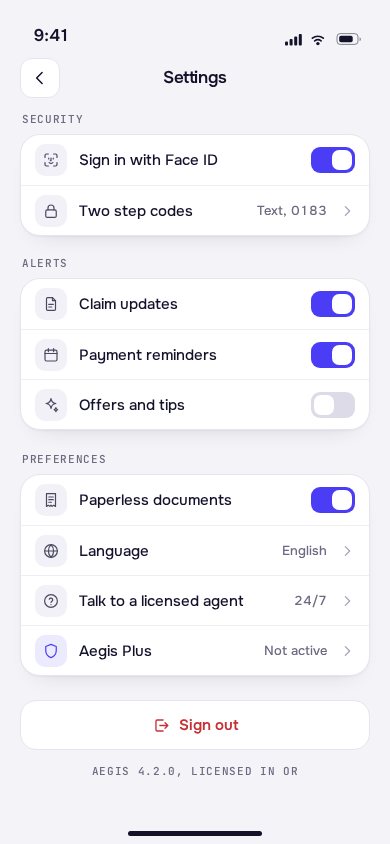
Aegis is a complete insurance app: welcome, sign in and a one time code, a home with every policy and the open claim, policies, an auto policy with limits and deductibles, a digital ID card, an Am I covered search, claims, a guided claim flow (what happened, incident details, damage photos, review, filed), a live claim tracker, roadside help with a tow truck on the map, repair shops, a home quote with checkout, billing, insights, an Aegis Plus plan, notifications, account and settings. Lavender white and white with deep indigo, ink, green for covered and amber for in review.
| Detail | Value |
|---|---|
| Screen type | Settings |
| App | Aegis: Insurance policies and claims |
| Category | Finance |
| Design language | Clinical, light |
| Type | JetBrains Mono for headings, Onest for text |
| Colours | #f4f4f8 background, #ffffff surface, #14122b text, #6b6a80 text-muted, #4b3df5 accent, #ffffff accent-contrast, #0b8556 secondary, #e6e5ef border, #c93035 danger |
What this screen says
- Settings
- Security
- Sign in with Face ID
- Two step codes
- Text, 0183
- Alerts
- Claim updates
- Payment reminders
- Offers and tips
- Preferences
- Paperless documents
- Language
- English
- Talk to a licensed agent
- Aegis Plus
- Not active
- Sign out
- Aegis 4.2.0, licensed in OR
Around it in Aegis
More settings screens
- Settle Settings: Bill payments and banking
- Fathom Security: Crypto wallet
- Marigold Card settings: Mobile banking
- Zentra Settings: Crypto trading
- Payday Settings: Payroll for small teams
- Roundup Settings: Invest your spare change
- Envelope Settings: Give every dollar a job
- Recur Settings: Track and cancel subscriptions
- Keel Settings: Corporate cards and spend controls
- Giftly Settings: Gift cards, sent and stored
- Zap Settings: Pay friends with a note
- Billfold Card details: Cards, passes and tickets wallet
Every finance app settings screen
What makes a good settings screen
- Group options into clear sections. Account, notifications, privacy, appearance and help, with headings, so people scan to the right group.
- Label settings by their effect. "Daily reminder at 8:00" is clearer than "Reminders". Add a short description under options that need one.
- Use the right control. Toggles for on and off, a row that opens a list for choices, and sliders only for ranges.
- Apply changes immediately. Most mobile settings take effect when changed, with no Save button to forget.
The full settings screen guide and every example
Remix Aegis free: describe your own app and it is drawn in this design. Or get its files from $10: Figma, React Native, SwiftUI, Flutter and HTML.