Templates · Form and input screens · Music app · Hum
Hum Share screen
A form screen from Hum, a song recognition app template in a Glass style. Screen 21 of 25.
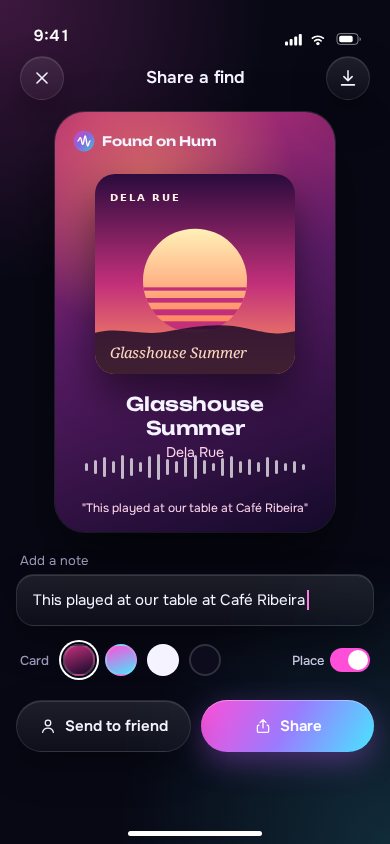
Hum is a complete song recognition app: welcome, microphone access, sign in, a home with the listening orb and recent finds, listening and hum mode, the match with synced lyrics and a preview player, artist and album pages, your library of finds, search, city charts, songs found nearby on a map, your listening stats, concerts with tickets and a booking confirmation, a share card, Hum Plus, notifications, profile and settings. Ink navy glass lit by magenta and aqua.
| Detail | Value |
|---|---|
| Screen type | Form |
| App | Hum: Song recognition |
| Category | Music |
| Design language | Glass, dark |
| Type | Unbounded for headings, Onest for text |
| Colours | #070814 background, #15152a surface, #f4f3ff text, #9a98b8 text-muted, #ff4fd8 accent, #ffffff accent-contrast, #48e5ff secondary, #26253f border, #ff5a7a danger |
What this screen says
- Share a find
- Found on Hum
- Glasshouse Summer
- Dela Rue
- "This played at our table at Café Ribeira"
- Add a note
- This played at our table at Café Ribeira
- CardPlace
- Send to friend
- Share
Around it in Hum
More form and input screens
- Groove Add record: Vinyl collection and crate digging
- Crossfade Save mix: DJ mixing on the go
- Fork Custom tuning: Tuner and metronome
- Belt Request: Karaoke nights
- Crowd Log a show: Concert diary and setlists
- Dial Request: Internet radio from everywhere
- Chorus Book a session: Singing lessons and pitch training
- Verse Write: Songwriting notebook
- Masters Withdraw: Royalties and streams for artists
- Sonata Build a series: Concert hall season and tickets
- Wax New playlist: Music streaming
- Earshot Make a clip: Podcast player
What makes a good form screen
- Ask only what you need. Every field is a reason to stop. Remove optional fields or move them to later.
- Labels above fields. Visible labels stay readable while people type; placeholder-only labels disappear.
- Use the right keyboard and input. Number pads for amounts, email keyboards for email, pickers for dates and autofill for addresses and codes.
- Validate as people go. Show problems next to the field when people leave it, in words that say how to fix them.
The full form screen guide and every example
Remix Hum free: describe your own app and it is drawn in this design. Or get its files from $10: Figma, React Native, SwiftUI, Flutter and HTML.