Templates · Live tracking screens · Productivity app · Easel
Easel Timer screen
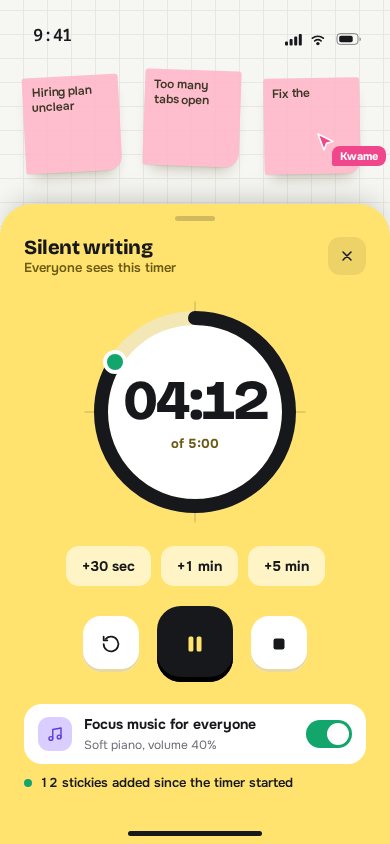
A tracking screen from Easel, a collaborative whiteboard app template in a Playful style. Screen 15 of 25.
Easel is a complete team whiteboard: welcome, sign in and workspace setup, a boards home with a live board, search, templates and a retro template, the board itself with frames, stickies, connectors and live cursors, sticky editing, shapes and lines, frames, a journey map in follow mode, dot voting with results, a shared timer, comments and a thread, present mode, sharing with an invite sent screen, insights, activity, the Team plan, profile and settings. Warm grid paper with leaf green, lemon and ink.
| Detail | Value |
|---|---|
| Screen type | Tracking |
| App | Easel: Collaborative whiteboard |
| Category | Productivity |
| Design language | Playful, light |
| Type | Bricolage Grotesque for headings, Onest for text |
| Colours | #f6f6f2 background, #ffffff surface, #17181c text, #6c6e78 text-muted, #12a56c accent, #ffffff accent-contrast, #ffe36e secondary, #e7e6df border, #f04a4a danger |
What this screen says
- Hiring plan unclear
- Too many tabs open
- Fix the
- Kwame
- Silent writingEveryone sees this timer
- 04:12of 5:00
- +30 sec
- +1 min
- +5 min
- Focus music for everyoneSoft piano, volume 40%
- 12 stickies added since the timer started
Around it in Easel
More live tracking screens
- Tapline Live: Link-in-bio pages and analytics
- Canvas Mirror: Design files and comments on mobile
- Merge Checks: Code, pull requests and reviews
- Query Searching: AI answers with sources
- Beacon Find nearby: Find your devices and people
- Tunnel Connecting: VPN and online privacy
- Ping Testing: Internet speed test
- Beam Uploading: Send big files
- Lectern Rehearse: Slides and presenter remote
- Ringer In call: Phone, contacts and voicemail
- Pipeline Route: Sales CRM on the road
- Aim Focus: Goals and key results
Every productivity app tracking screen
What makes a good live tracking screen
- The live number is the hero. Arrival time, pace, distance or time left, in large type at the top or centre.
- Show status in words. "Driver is 3 minutes away" or "Halfway there" alongside the map or chart.
- Make it readable while moving. Large numbers, high contrast and big buttons for pause, stop or call.
- Keep updates calm. Smooth movement on the map and steady numbers; jumpy updates feel broken.
The full live tracking screen guide and every example
Remix Easel free: describe your own app and it is drawn in this design. Or get its files from $10: Figma, React Native, SwiftUI, Flutter and HTML.