Templates · Form and input screens · Lifestyle app · Brief
Brief Share screen
A form screen from Brief, a news in sixty words app template in a Minimal style. Screen 19 of 25.
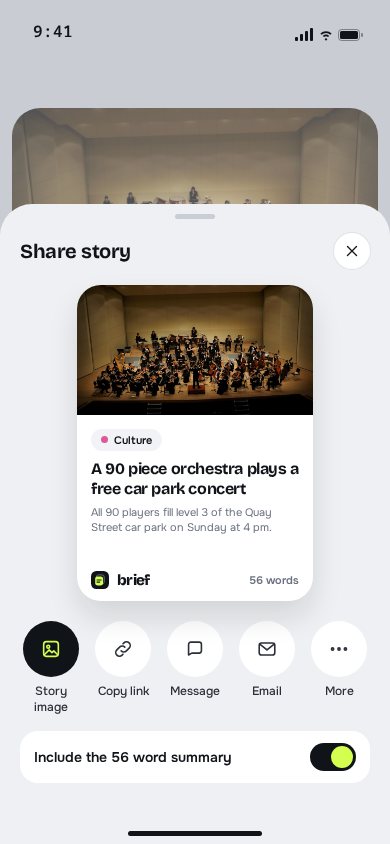
Brief is a complete short news app: welcome, topic picks, sign in and a code, a feed of full screen sixty word story cards stacked like a deck, the full story reader, a morning brief, discover with sections and trending topics, search, a section page, a trending topic timeline, a poll and its results, a weather card, a short video, an audio brief player, a weekly quiz with a score, a share card, saved stories, notifications, reading stats, a Plus plan, profile and settings. Cool grey and white with ink black, one lime highlight and a colour dot per section.
| Detail | Value |
|---|---|
| Screen type | Form |
| App | Brief: News in sixty words |
| Category | Lifestyle |
| Design language | Minimal, light |
| Type | Bricolage Grotesque for headings, Onest for text |
| Colours | #eef0f3 background, #ffffff surface, #101318 text, #6a7180 text-muted, #101318 accent, #ffffff accent-contrast, #d4ff4f secondary, #e3e6eb border, #ef4444 danger |
What this screen says
- Share story
- Culture
- A 90 piece orchestra plays a free car park concert
- All 90 players fill level 3 of the Quay Street car park on Sunday at 4 pm.
- brief 56 words
- Story image
- Copy link
- Message
- More
- Include the 56 word summary
Around it in Brief
More form and input screens
- Kiln Filters: Handmade marketplace
- Drape Sizes and fit: AI wardrobe and daily outfits
- Mane Hair profile: AI hairstyle try-on
- Annex Room type: AI interior redesign
- Kino Rate: Film and series streaming
- Stitch Add yarn: A knitting companion drawn as one big knitting chart
- Roost Add item: Your shared house, stuck to the fridge door
- Grain Export: Camera and photo editor
- Posy Build a bouquet: Flower delivery and weekly stems
- Fern Log watering: Plant care
- Doorstep Filters: Homes for sale and rent
- Rewear Make an offer: Secondhand fashion marketplace
Every lifestyle app form screen
What makes a good form screen
- Ask only what you need. Every field is a reason to stop. Remove optional fields or move them to later.
- Labels above fields. Visible labels stay readable while people type; placeholder-only labels disappear.
- Use the right keyboard and input. Number pads for amounts, email keyboards for email, pickers for dates and autofill for addresses and codes.
- Validate as people go. Show problems next to the field when people leave it, in words that say how to fix them.
The full form screen guide and every example
Remix Brief free: describe your own app and it is drawn in this design. Or get its files from $10: Figma, React Native, SwiftUI, Flutter and HTML.