Templates · Success and confirmation screens · Lifestyle app · Brief
Brief Quiz done screen
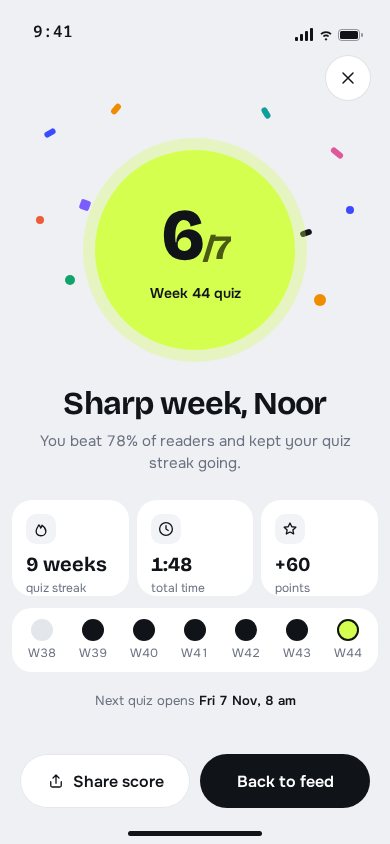
A success screen from Brief, a news in sixty words app template in a Minimal style. Screen 18 of 25.
Brief is a complete short news app: welcome, topic picks, sign in and a code, a feed of full screen sixty word story cards stacked like a deck, the full story reader, a morning brief, discover with sections and trending topics, search, a section page, a trending topic timeline, a poll and its results, a weather card, a short video, an audio brief player, a weekly quiz with a score, a share card, saved stories, notifications, reading stats, a Plus plan, profile and settings. Cool grey and white with ink black, one lime highlight and a colour dot per section.
| Detail | Value |
|---|---|
| Screen type | Success |
| App | Brief: News in sixty words |
| Category | Lifestyle |
| Design language | Minimal, light |
| Type | Bricolage Grotesque for headings, Onest for text |
| Colours | #eef0f3 background, #ffffff surface, #101318 text, #6a7180 text-muted, #101318 accent, #ffffff accent-contrast, #d4ff4f secondary, #e3e6eb border, #ef4444 danger |
What this screen says
- 6/7Week 44 quiz
- Sharp week, Noor
- You beat 78% of readers and kept your quiz streak going.
- 9 weeksquiz streak
- 1:48total time
- +60points
- W38
- W39
- W40
- W41
- W42
- W43
- W44
- Next quiz opens Fri 7 Nov, 8 am
- Share score
- Back to feed
Around it in Brief
More success and confirmation screens
- Rewear Listed: Secondhand fashion marketplace
- Laced Entry confirmed: Sneaker drops and raffles
- Gloss Booked: Salon and spa booking
- Vow Visit booked: Wedding planner
- Drizzle Welcome to Plus: Weather with living skies
- Byline Puzzle solved: Daily news reader
- Shelf Book finished: Reading tracker and book club
- Marquee Booked: Cinema tickets and watchlist
- Handy Booking placed: Home services
- Tasker Booked: Book and do local odd jobs
- Toolbox Order placed: Hardware store and project lists
- Kibble Order placed: Pet supplies and autoship
Every lifestyle app success screen
What makes a good confirmation screen
- Confirm in the headline. "Payment sent", "Table booked for Friday at 8" or "Lesson complete" in plain words, with a clear success colour or icon.
- Repeat the key details. Amount, date, reference number or score, so people do not need to check elsewhere that the right thing happened.
- Say what happens next. When the order arrives, when the money lands, when the next lesson unlocks.
- Offer the next step. Track the order, add to calendar, share, or start the next lesson. One primary action and a way back home.
The full confirmation screen guide and every example
Remix Brief free: describe your own app and it is drawn in this design. Or get its files from $10: Figma, React Native, SwiftUI, Flutter and HTML.