Templates · Player, camera and editor screens · Fitness app · Ward
Ward Video visit screen
A media screen from Ward, a health and fitness app template in a Clinical style. Screen 11 of 25.
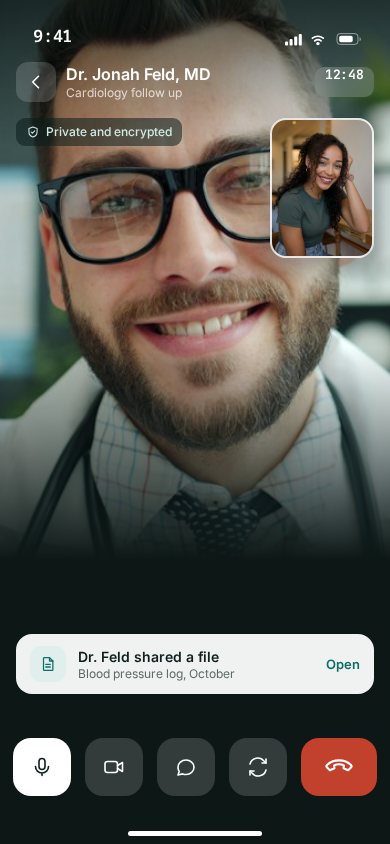
Ward is a complete patient portal for the invented Larkfield Health network: welcome, sign in and a verification code, a home with the patient wristband and the next visit, visits, a visit with directions, a five step eCheck-in and arrival code, finding care and scheduling, a video visit, test results with reference ranges, a lipid panel, a trend over time, secure messages with the care team, a new message, medications and refills, billing and paying a bill, a health summary, notifications, family access and settings. Paper grey and white with spruce teal and a quiet amber.
| Detail | Value |
|---|---|
| Screen type | Media |
| App | Ward: Patient portal for results, visits and messages |
| Category | Health and fitness |
| Design language | Clinical, light |
| Type | Lexend for headings, Inter for text |
| Colours | #f2f5f4 background, #ffffff surface, #10201e text, #5c6b68 text-muted, #0f6e66 accent, #ffffff accent-contrast, #e1efec secondary, #dfe5e3 border, #c2412d danger |
What this screen says
- Dr. Jonah Feld, MDCardiology follow up
- Private and encrypted
- Dr. Feld shared a fileBlood pressure log, October
- Open
Around it in Ward
More player, camera and editor screens
- Level Meal camera: Glucose monitor companion
- Reformer Video: Pilates studio booking
- Mend Guided: Physio and rehab exercises
- Tabata Exercise: HIIT interval timer
- Jab Class video: Boxing workouts with a smart bag
- Exhale HRV check: Breathwork sessions
- Bump Scan: Pregnancy week by week
- Morsel Scan: AI calorie tracker
- Dew Camera: AI skin scan and routine
- Medly Video visit: Doctor on call
- Unfold Player: Yoga and stretching
- Harbor Video session: Therapy and mood
Every fitness app media screen
What makes a good media player screen
- Content takes the space. Artwork, video or the camera view should fill most of the screen.
- Primary controls in the thumb zone. Play and pause, the shutter or the main tool, large and low on the screen.
- Show progress and position. A scrubber with elapsed and remaining time, or the step in a lesson.
- Hide secondary controls until needed. Lyrics, queue, filters and advanced tools can live behind a tap or a swipe.
The full media player screen guide and every example
Remix Ward free: describe your own app and it is drawn in this design. Or get its files from $10: Figma, React Native, SwiftUI, Flutter and HTML.