Templates · Onboarding screens · Smart home app · Upkeep
Upkeep Welcome screen
An onboarding screen from Upkeep, a home maintenance calendar app template in a Minimal style. Screen 1 of 25.
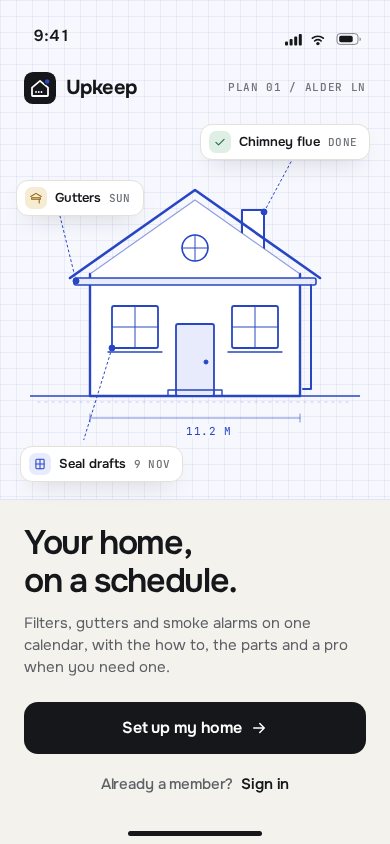
Upkeep is a complete home maintenance app: welcome, home setup and sign in, a today screen with the overdue task and the next two weeks, a month calendar, task details with a step by step guide, logging a task and its confirmation, new recurring tasks, a blueprint floor plan with pinned tasks, rooms, equipment with lifespans, an appliance page, a rating label scanner, finding, booking and confirming a local pro, costs, a home log, notifications, Upkeep Plus, profile and settings. Stone and white with cobalt blueprint drawings, ochre for soon and brick for late.
| Detail | Value |
|---|---|
| Screen type | Onboarding |
| App | Upkeep: Home maintenance calendar |
| Category | Smart home |
| Design language | Minimal, light |
| Type | Onest |
| Colours | #f3f2ed background, #ffffff surface, #15171a text, #6f7277 text-muted, #2846c4 accent, #ffffff accent-contrast, #c98a1b secondary, #e6e4dc border, #c9502c danger |
What this screen says
- Upkeep
- Plan 01 / Alder Ln
- 11.2 M
- Chimney flueDONE
- GuttersSUN
- Seal drafts9 NOV
- Your home,
- on a schedule.
- Filters, gutters and smoke alarms on one calendar, with the how to, the parts and a pro when you need one.
- Set up my home
- Already a member? Sign in
Around it in Upkeep
More onboarding screens
- Nursery Welcome: Baby monitor camera and sleep
- Porch Welcome: Home security cameras
- Sundial Welcome: Solar panels and home battery
- Puddle Welcome: Garden watering and sprinklers
- Kelvin Welcome: Climate and thermostat
- Glow Welcome: Light scenes and colour
- Tagged Welcome: Home inventory for insurance
- Lobby Welcome: Apartment building app
- Sweep Welcome: Robot vacuum and mop
- Dusk Welcome: Smart home scenarios
- Lumen Welcome: Smart home energy
- Abode Welcome: Smart home devices
Every smart home app onboarding screen
What makes a good onboarding screen
- One idea per screen. Each screen should say one thing in a headline people can read in a second. If a screen needs a paragraph, it is doing too much.
- Personalise with a purpose. Ask a question only if the answer changes what people see next, like a goal, a level or an interest. Then show that the answer mattered.
- Explain permissions before asking. Show your own screen saying why you need notifications, location or the camera before the system prompt. People who understand the reason are more likely to allow it.
- Let people skip. A visible skip or "I'll do this later" respects returning users and the impatient. Make sure skipping still lands them somewhere useful.
The full onboarding screen guide and every example
Remix Upkeep free: describe your own app and it is drawn in this design. Or get its files from $10: Figma, React Native, SwiftUI, Flutter and HTML.