Templates · Player, camera and editor screens · Finance app · Strike
Strike Lesson screen
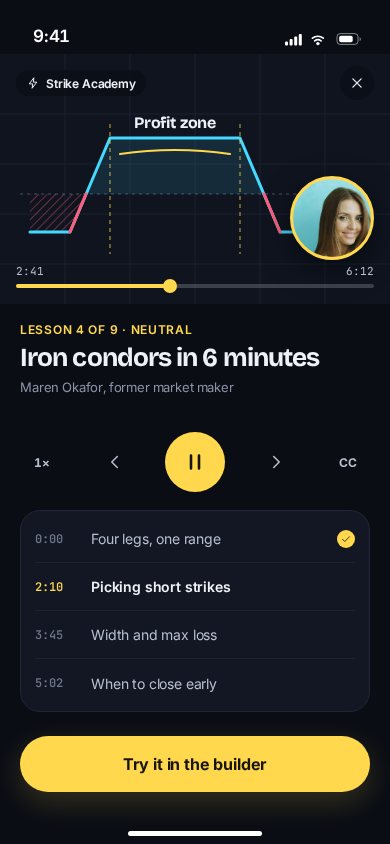
A media screen from Strike, an options trading app template in a Dark-first style. Screen 19 of 25.
Strike is a complete options trading app: welcome, choosing an options level, sign in, a home with account value and open positions, search, a stock page with IV rank and expected move, an option chain with a strike ladder, a contract with its Greeks, a strategy builder and payoff diagram, an order ticket with review and a fill, positions, a position with a roll, live P/L for an iron condor, strategy ideas, a video lesson, analytics, unusual flow, notifications, a Pro plan, profile and settings. Ink navy with strike yellow, cyan and coral.
| Detail | Value |
|---|---|
| Screen type | Media |
| App | Strike: Options trading |
| Category | Finance |
| Design language | Dark-first, dark |
| Type | Bricolage Grotesque for headings, Inter for text |
| Colours | #0a0d14 background, #121723 surface, #eef1f7 text, #8b93a7 text-muted, #ffd84d accent, #17140a accent-contrast, #46d9ff secondary, #222a3a border, #ff5d7a danger |
What this screen says
- Strike Academy
- Lesson 4 of 9 · Neutral
- Iron condors in 6 minutes
- Maren Okafor, former market maker
- 1× CC
- 0:00Four legs, one range
- 2:10Picking short strikes
- 3:45Width and max loss
- 5:02When to close early
- Try it in the builder
Around it in Strike
More player, camera and editor screens
- Keystone Statement: Mortgage and home loan tracker
- Rebate Scratch card: Cashback card and rewards
- Aegis Damage photos: Insurance policies and claims
- Till Scan: Card reader and sales for small shops
- Prism October recap: Net worth across every account
- Claim Scan receipt: Expenses, filed like a till receipt
- Divvy Scan receipt: Split bills with friends
- Piggy Lesson: Pocket money for kids
- Settle Scan: Bill payments and banking
- Marigold Scan: Mobile banking
- Keel Snap receipt: Corporate cards and spend controls
- Giftly Message: Gift cards, sent and stored
Every finance app media screen
What makes a good media player screen
- Content takes the space. Artwork, video or the camera view should fill most of the screen.
- Primary controls in the thumb zone. Play and pause, the shutter or the main tool, large and low on the screen.
- Show progress and position. A scrubber with elapsed and remaining time, or the step in a lesson.
- Hide secondary controls until needed. Lyrics, queue, filters and advanced tools can live behind a tap or a swipe.
The full media player screen guide and every example
Remix Strike free: describe your own app and it is drawn in this design. Or get its files from $10: Figma, React Native, SwiftUI, Flutter and HTML.