Templates · Player, camera and editor screens · Finance app · Settle
Settle Scan screen
A media screen from Settle, a bill payments and banking app template in a Minimal style. Screen 17 of 25.
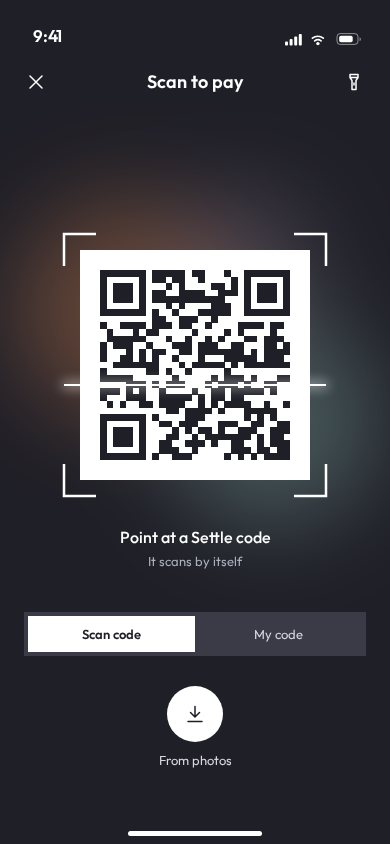
Settle is a complete bill payment app: onboarding, sign in, a passcode, a home with the wallet balance and every service, top-ups with a keypad, mobile credit and data plans, electricity and other bills with review and a printed style receipt, transfers, scan to pay, history, monthly stats, saved billers, reminders, a plus plan, profile and settings. Crisp white and ink black with square corners, round icons and a pastel gradient of lilac, mint, peach and coral.
| Detail | Value |
|---|---|
| Screen type | Media |
| App | Settle: Bill payments and banking |
| Category | Finance |
| Design language | Minimal, light |
| Type | Outfit |
| Colours | #ffffff background, #f6f7f9 surface, #1f1f27 text, #808b9e text-muted, #1f1f27 accent, #ffffff accent-contrast, #fb8468 secondary, #edf1f8 border, #ef4d4d danger |
What this screen says
- Scan to pay
- Point at a Settle code
- It scans by itself
- Scan code
- My code
- From photos
Around it in Settle
More player, camera and editor screens
- Accrue Adviser call: Retirement and pension planner
- Levy Scan receipt: Taxes for freelancers
- Wage Clock in: Get paid as you work
- Keystone Statement: Mortgage and home loan tracker
- Rebate Scratch card: Cashback card and rewards
- Aegis Damage photos: Insurance policies and claims
- Till Scan: Card reader and sales for small shops
- Strike Lesson: Options trading
- Prism October recap: Net worth across every account
- Claim Scan receipt: Expenses, filed like a till receipt
- Divvy Scan receipt: Split bills with friends
- Piggy Lesson: Pocket money for kids
Every finance app media screen
What makes a good media player screen
- Content takes the space. Artwork, video or the camera view should fill most of the screen.
- Primary controls in the thumb zone. Play and pause, the shutter or the main tool, large and low on the screen.
- Show progress and position. A scrubber with elapsed and remaining time, or the step in a lesson.
- Hide secondary controls until needed. Lyrics, queue, filters and advanced tools can live behind a tap or a swipe.
The full media player screen guide and every example
Remix Settle free: describe your own app and it is drawn in this design. Or get its files from $10: Figma, React Native, SwiftUI, Flutter and HTML.