Templates · Player, camera and editor screens · Finance app · Keystone
Keystone Statement screen
A media screen from Keystone, a mortgage and home loan tracker app template in an Enterprise style. Screen 21 of 25.
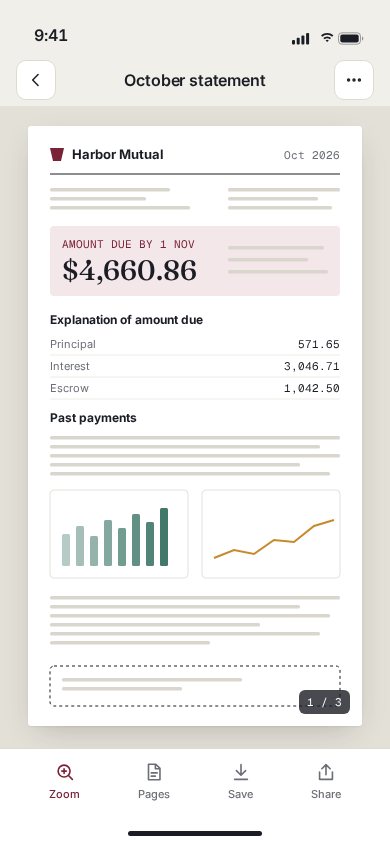
Keystone is a complete home loan tracker: welcome, sign in and linking a lender, a home with the equity arch and the next payment, loan details, the full amortization schedule, a payment breakdown and history, making a payment with extra principal, review and confirmation, a payoff planner, refinance offers with a break-even chart, a live rate lock, home value, property, escrow, equity and PMI removal, documents and a statement viewer, a Pro plan, notifications, profile and settings. Limestone and white with oxblood, verdigris and ochre.
| Detail | Value |
|---|---|
| Screen type | Media |
| App | Keystone: Mortgage and home loan tracker |
| Category | Finance |
| Design language | Enterprise, light |
| Type | Fraunces for headings, Inter for text |
| Colours | #f1efe9 background, #ffffff surface, #1a1d24 text, #6c6e76 text-muted, #7a2236 accent, #ffffff accent-contrast, #2e6b5b secondary, #dfdbd1 border, #b4361f danger |
What this screen says
- October statement
- Zoom
- Pages
- Save
- Share
Around it in Keystone
More player, camera and editor screens
- Zap Scan: Pay friends with a note
- Billfold Scan card: Cards, passes and tickets wallet
- Payly Scan QR: UPI payments, recharges and bills
- Bastion Capture check: Everyday banking from a big bank
- Accrue Adviser call: Retirement and pension planner
- Levy Scan receipt: Taxes for freelancers
- Wage Clock in: Get paid as you work
- Rebate Scratch card: Cashback card and rewards
- Aegis Damage photos: Insurance policies and claims
- Till Scan: Card reader and sales for small shops
- Strike Lesson: Options trading
- Prism October recap: Net worth across every account
Every finance app media screen
What makes a good media player screen
- Content takes the space. Artwork, video or the camera view should fill most of the screen.
- Primary controls in the thumb zone. Play and pause, the shutter or the main tool, large and low on the screen.
- Show progress and position. A scrubber with elapsed and remaining time, or the step in a lesson.
- Hide secondary controls until needed. Lyrics, queue, filters and advanced tools can live behind a tap or a swipe.
The full media player screen guide and every example
Remix Keystone free: describe your own app and it is drawn in this design. Or get its files from $10: Figma, React Native, SwiftUI, Flutter and HTML.