Templates · Onboarding screens · Productivity app · Ringer
Ringer Welcome screen
An onboarding screen from Ringer, a productivity app template in a Minimal style. Screen 1 of 25.
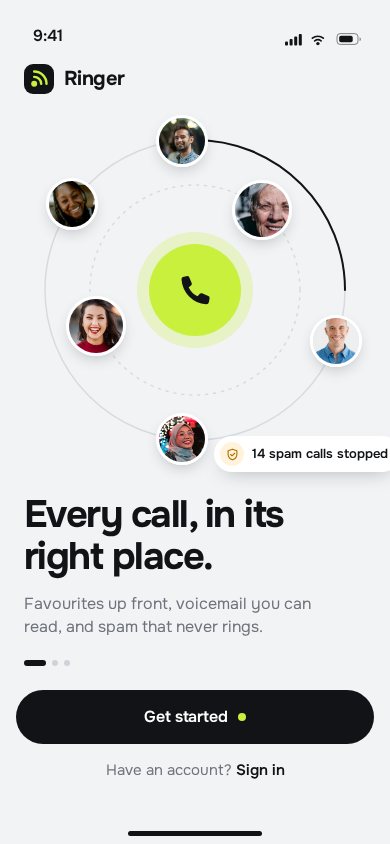
Ringer is a complete phone app: welcome, permissions, sign in with a texted code, favourites, recents with missed calls and filtered spam, call details, contacts with an alphabet index, a contact card, a new contact form, search across people and voicemail, a keypad, an incoming call, the in-call screen, a call recording consent sheet and a call summary, visual voicemail with a live transcript, a spam filter, blocking a number with a confirmation, call stats, a Plus plan, my card and settings. Porcelain and white with ink, signal lime and a coral for missed and declined calls.
| Detail | Value |
|---|---|
| Screen type | Onboarding |
| App | Ringer: Phone, contacts and voicemail |
| Category | Productivity |
| Design language | Minimal, light |
| Type | Onest |
| Colours | #f2f3f5 background, #ffffff surface, #111316 text, #6e737c text-muted, #c8f03c accent, #111316 accent-contrast, #1b1d21 secondary, #e3e5e9 border, #f2473a danger, #b26f00 warning |
What this screen says
- Ringer
- 14 spam calls stopped
- Every call, in its right place.
- Favourites up front, voicemail you can read, and spam that never rings.
- Get started
- Have an account? Sign in
Around it in Ringer
More onboarding screens
- Deskly Welcome: Hybrid office booking
- Pomo Welcome: Focus timer
- Postbox Welcome: Email for busy teams
- Daybook Welcome: Calendar and planner
- Scanly Welcome: Document scanner
- Keyring Welcome: Password manager
- Rota Welcome: Shift scheduling for hourly teams
- Inkwell Welcome: Daily journal
- Shortlist Welcome: Job search and application tracker
- Parley Welcome: Team messenger
- Docket Welcome: Task and sprint planner
- Kanso Welcome: Tasks, calendar and chat
Every productivity app onboarding screen
What makes a good onboarding screen
- One idea per screen. Each screen should say one thing in a headline people can read in a second. If a screen needs a paragraph, it is doing too much.
- Personalise with a purpose. Ask a question only if the answer changes what people see next, like a goal, a level or an interest. Then show that the answer mattered.
- Explain permissions before asking. Show your own screen saying why you need notifications, location or the camera before the system prompt. People who understand the reason are more likely to allow it.
- Let people skip. A visible skip or "I'll do this later" respects returning users and the impatient. Make sure skipping still lands them somewhere useful.
The full onboarding screen guide and every example
Remix Ringer free: describe your own app and it is drawn in this design. Or get its files from $10: Figma, React Native, SwiftUI, Flutter and HTML.