Templates · Onboarding screens · Productivity app · Deskly
Deskly Welcome screen
An onboarding screen from Deskly, a hybrid office booking app template in an Enterprise style. Screen 1 of 25.
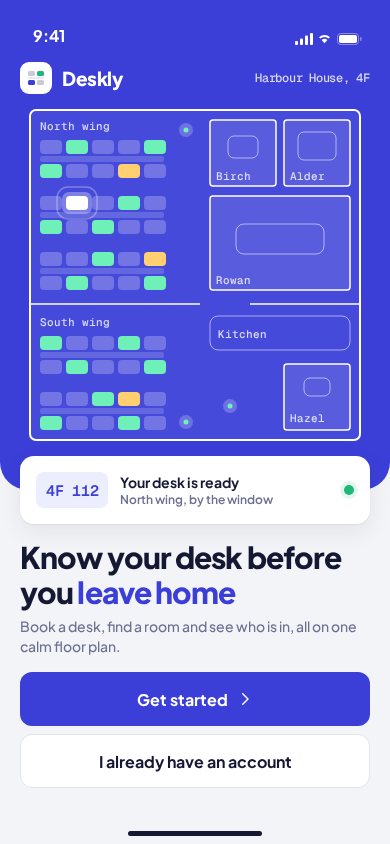
Deskly is a complete hybrid office app: welcome, sign in, picking your office and your office days, a home with today's desk on the plan, a live floor plan, desk detail and booking, check in, meeting rooms with capacity and equipment, who is in, finding a colleague, search, your bookings and week, visitors with a pass and a drawn QR square, insights, a Teams plan, notifications, profile and settings. Every plan, room and pass is drawn.
| Detail | Value |
|---|---|
| Screen type | Onboarding |
| App | Deskly: Hybrid office booking |
| Category | Productivity |
| Design language | Enterprise, light |
| Type | Plus Jakarta Sans |
| Colours | #f3f4f7 background, #ffffff surface, #151833 text, #6b7090 text-muted, #3b3fd8 accent, #ffffff accent-contrast, #1fb87a success, #f5a623 warning, #e3e5ee border |
What this screen says
- DesklyHarbour House, 4F
- 4F 112
- Your desk is readyNorth wing, by the window
- Know your desk before you leave home
- Book a desk, find a room and see who is in, all on one calm floor plan.
- Get started
- I already have an account
Around it in Deskly
More onboarding screens
- Stow Welcome: Cloud storage
- Meridian Welcome: Mobile web browser
- Swarm Welcome: Torrent client
- Bench Welcome: Freelance marketplace
- Convene Welcome: Video meetings
- Unplug Welcome: Screen time blocker
- Streak Welcome: Small days, long chains
- Pomo Welcome: Focus timer
- Postbox Welcome: Email for busy teams
- Daybook Welcome: Calendar and planner
- Scanly Welcome: Document scanner
- Keyring Welcome: Password manager
Every productivity app onboarding screen
What makes a good onboarding screen
- One idea per screen. Each screen should say one thing in a headline people can read in a second. If a screen needs a paragraph, it is doing too much.
- Personalise with a purpose. Ask a question only if the answer changes what people see next, like a goal, a level or an interest. Then show that the answer mattered.
- Explain permissions before asking. Show your own screen saying why you need notifications, location or the camera before the system prompt. People who understand the reason are more likely to allow it.
- Let people skip. A visible skip or "I'll do this later" respects returning users and the impatient. Make sure skipping still lands them somewhere useful.
The full onboarding screen guide and every example
Remix Deskly free: describe your own app and it is drawn in this design. Or get its files from $10: Figma, React Native, SwiftUI, Flutter and HTML.