Templates · Paywall screens · Lifestyle app · Rewear
Rewear Plus screen
A paywall screen from Rewear, a secondhand fashion marketplace app template in a Gen Z style. Screen 22 of 25.
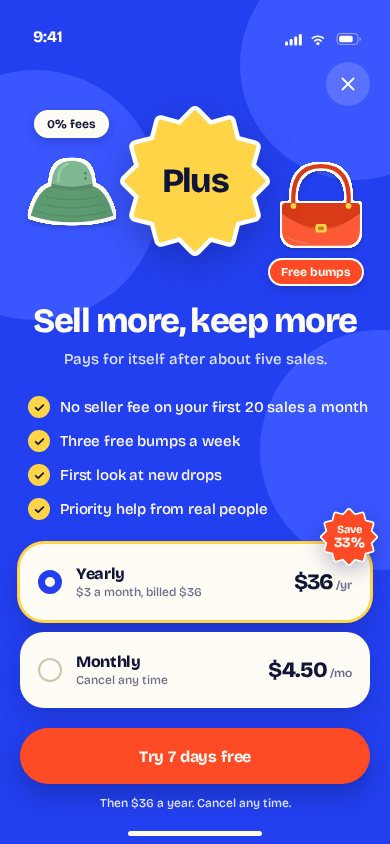
Rewear is a complete resale app: welcome, sign in and a code, a feed of fresh drops, search, an item page, a seller with ratings, making an offer and tracking offers, an inbox and a chat with offer cards, a three step sell flow, a bag, checkout, order tracking, a wardrobe of listings and likes, earnings, a Plus plan, notifications, profile and settings. Every garment is an original flat illustration cut out like a sticker, so nothing depends on stock photos.
| Detail | Value |
|---|---|
| Screen type | Paywall |
| App | Rewear: Secondhand fashion marketplace |
| Category | Lifestyle |
| Design language | Gen Z, light |
| Type | Bricolage Grotesque |
| Colours | #f5efe0 background, #fffcf5 surface, #0f1535 text, #6a6e86 text-muted, #2340f0 accent, #fffcf5 accent-contrast, #ff4a26 secondary, #e4dcc6 border, #d93414 danger |
What this screen says
- Plus
- 0% fees Free bumps
- Sell more, keep more
- Pays for itself after about five sales.
- No seller fee on your first 20 sales a month
- Three free bumps a week
- First look at new drops
- Priority help from real people
- Yearly
- $3 a month, billed $36
- $36 /yr Save33%
- Monthly
- Cancel any time
- $4.50 /mo
- Try 7 days free
- Then $36 a year. Cancel any time.
Around it in Rewear
More paywall screens
- Postage Plus: Send parcels and find drop-off points
- Specs Club: Glasses with virtual try-on
- Circuit Membership: Electronics store with trade-in and repairs
- Provenance Circle: Authenticated luxury resale
- Gavel Pass: Live online auctions
- Tidy Club: Book home cleaners
- Dorm Plus: Find student housing
- Hem Plus: Tailoring and alterations, collected
- Lendly Plus: Borrow things from neighbours
- Stub Plus: Fan to fan ticket resale
- Trove Plus: Visual ideas and boards
- Vidi Plus: Video platform for creators
Every lifestyle app paywall screen
What makes a good paywall screen
- Lead with the outcome, not the feature list. The headline should say what changes for the person: "Train smarter every week" beats "Unlock Premium". Three to five benefits underneath are enough; more turns into a wall of ticks nobody reads.
- Show the real price, period and trial terms. State the price, how often it renews and when a free trial turns into a charge, near the button. Apple's App Store guideline 3.1.2 asks subscription apps to make this clear before purchase, and Google Play has similar rules.
- One primary button. The main call to action should be impossible to miss and say what happens: "Start 7-day free trial" or "Subscribe for $4.99/month". A second plan choice is fine; a second competing button is not.
- Make the plans easy to compare. When you offer monthly and yearly, show both prices in the same unit (per month or per week) and mark the saving on the yearly plan in plain numbers, not just a badge.
The full paywall screen guide and every example
Remix Rewear free: describe your own app and it is drawn in this design. Or get its files from $10: Figma, React Native, SwiftUI, Flutter and HTML.