Templates · Detail screens · Social app · Parrot
Parrot Chat screen
A detail screen from Parrot, a social app template in a Minimal style. Screen 6 of 25.
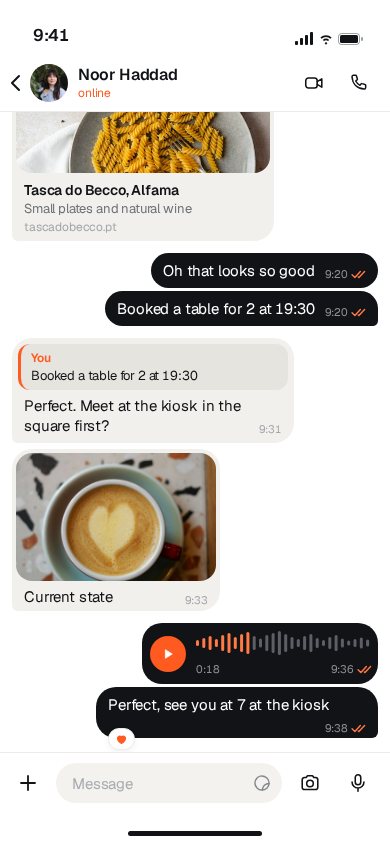
Parrot is a complete everyday messenger: welcome, phone number and code, profile setup, a chat list with filters, pinned and archived chats, a one to one chat with photos, a voice note and replies, a group chat with a poll, contact and group info, a new chat picker, a new group, search across messages, shared media, the camera, live location, voice and video calls, a call log, status updates and a story, sending money in a chat with a receipt, a Plus plan, storage and data, and settings. White and paper grey with ink and a single vermilion accent.
| Detail | Value |
|---|---|
| Screen type | Detail |
| App | Parrot: Private messaging, groups and calls |
| Category | Social |
| Design language | Minimal, light |
| Type | Instrument Serif for headings, Geist for text |
| Colours | #ffffff background, #f3f2ee surface, #121316 text, #85888f text-muted, #ff5a1f accent, #ffffff accent-contrast, #121316 secondary, #ecebe7 border, #e5352b danger |
What this screen says
- Noor Haddad
- online
- Today
- Found the place I told you about9:12
- Tasca do Becco, Alfama
- Small plates and natural wine tascadobecco.pt
- Oh that looks so good9:20
- Booked a table for 2 at 19:309:20
- YouBooked a table for 2 at 19:30 Perfect. Meet at the kiosk in the square first?9:31
- Current state9:33
- Perfect, see you at 7 at the kiosk9:38
- Message
Around it in Parrot
More detail screens
- Murmur Room: Chat rooms for art lovers
- Wink Profile: Video first dating
- Snoot Post: Social app for pets
- Huddle Group: Interest groups and meetups
- Glade Post: Photo and clip social network
- Onair Send a gift: Live streaming
- Drift Group: Reels and voice rooms
- Glitz Chat: Party live streaming
- Hearth Group chat: Messenger for trips and circles
- Chirp Conversation: Messenger with file sharing
- Banter Chat: Live messenger
- Natter Chat: Minimal messenger
Every social app detail screen
What makes a good detail screen
- Lead with what identifies the item. A large image or title, the price or status, and the key facts at the top. People should know they are in the right place at a glance.
- Keep the main action visible. A sticky bottom button for Add to cart, Book or Play stays reachable while people scroll through details.
- Order information by importance. The facts that decide the choice come first; reviews, specifications and fine print further down.
- Use progressive disclosure. Long descriptions, specifications and policies can expand on tap rather than filling the screen.
The full detail screen guide and every example
Remix Parrot free: describe your own app and it is drawn in this design. Or get its files from $10: Figma, React Native, SwiftUI, Flutter and HTML.