Templates · Search and explore screens · Social app · Natter
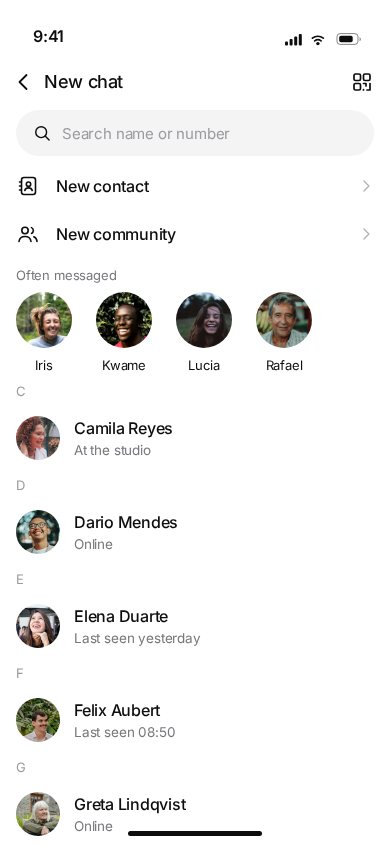
Natter New chat screen
A search screen from Natter, a minimal messenger app template in a Minimal style. Screen 6 of 25.
Natter is a complete messenger on pure white: welcome, phone sign in and a code, a chat list under a row of stories, a start new sheet, new chat, new contact and new community, a conversation with a message action sheet (react, copy, reply, forward, delete), forwarding, stories, search, communities, calls, contacts, notifications, a weekly activity summary, a Plus plan, profile and settings. One warm yellow marks what is yours or unread, everything else is black, white and pale grey.
| Detail | Value |
|---|---|
| Screen type | Search |
| App | Natter: Minimal messenger |
| Category | Social |
| Design language | Minimal, light |
| Type | Inter |
| Colours | #ffffff background, #f4f4f5 surface, #0d0d0d text, #77777c text-muted, #f6c81e accent, #0d0d0d accent-contrast, #0d0d0d secondary, #ededee border, #e5484d danger |
What this screen says
- New chat
- Search name or number
- New contact
- New community
- Often messaged
- Iris
- Kwame
- Lucia
- Rafael
- Camila Reyes
- At the studio
- Dario Mendes
- Online
- Elena Duarte
- Last seen yesterday
- Felix Aubert
- Last seen 08:50
- Greta Lindqvist
Around it in Natter
More search and explore screens
- Quorum Search: Questions and expert answers
- Backer Explore: Support creators with memberships
- Pledge Search: Back creative projects
- Civic New report: Report issues and city services
- Guild Discover: Community servers with voice and text chat
- Parrot New chat: Private messaging, groups and calls
- Carrier Discover: Cloud messaging with channels
- Vista Explore: Photos, stories and reels
- Flick Discover: Short video feed
- Squawk Explore: Short posts and live conversation
- Agora Explore: Communities, threads and votes
- Spark Filters: Swipe dating
Every social app search screen
What makes a good search screen
- Show something before people type. Recent searches, popular items or categories make the empty search screen useful and save typing.
- Suggest as people type. Autocomplete with matching items, not only matching words, lets people jump straight to a result.
- Make filters visible and reversible. Show active filters as chips that can be removed in one tap, and the number of results as filters change.
- Forgive typos. Close matches and "Did you mean" stop a spelling mistake from ending in an empty screen.
The full search screen guide and every example
Remix Natter free: describe your own app and it is drawn in this design. Or get its files from $10: Figma, React Native, SwiftUI, Flutter and HTML.