Templates · Paywall screens · Fitness app · Morsel
Morsel Pro screen
A paywall screen from Morsel, an AI calorie tracker app template in a Minimal style. Screen 8 of 25.
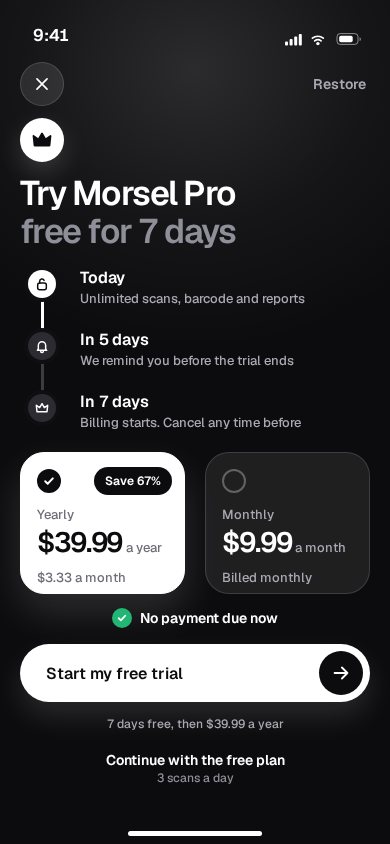
Morsel is a complete photo calorie tracker: a quiz onboarding that builds a daily plan, a paywall with a trial timeline, a home with the calories left ring and macro rings, a camera scan with detection labels on the plate, an editable result, barcode and describe a meal, saved meals, food search, progress with weight and weekly reports, streaks, reminders and settings. Soft grey and white with near black cards and coral, amber and blue macros.
| Detail | Value |
|---|---|
| Screen type | Paywall |
| App | Morsel: AI calorie tracker |
| Category | Health and fitness |
| Design language | Minimal, light |
| Type | Geist |
| Colours | #f4f4f6 background, #ffffff surface, #0c0c0e text, #6e6e78 text-muted, #0c0c0e accent, #ffffff accent-contrast, #f26b5b secondary, #e6e6ea border, #e5484d danger |
What this screen says
- Restore
- Try Morsel Pro
- free for 7 days
- TodayUnlimited scans, barcode and reports
- In 5 daysWe remind you before the trial ends
- In 7 daysBilling starts. Cancel any time before
- Save 67%
- Yearly
- $39.99a year$3.33 a month
- Monthly
- $9.99a monthBilled monthly
- No payment due now
- Start my free trial
- 7 days free, then $39.99 a year
- Continue with the free plan3 scans a day
Around it in Morsel
More paywall screens
- Careline Plus: Care for an ageing parent
- Velo Membership: Live and on-demand indoor cycling
- Vantage Pro: Sports watch companion
- Labwork Retest plans: Book blood tests and see results
- Segment Plus: Runs and rides with friends
- Nightly Membership: Smart ring sleep and readiness
- Pillbox Plus: Pharmacy refills and medicine reminders
- Rise Plus: Alarm clock and sleep cycles
- Level Plus: Glucose monitor companion
- Reformer Class packs: Pilates studio booking
- Sip Plus: Water intake and hydration
- Mend Plus: Physio and rehab exercises
Every fitness app paywall screen
What makes a good paywall screen
- Lead with the outcome, not the feature list. The headline should say what changes for the person: "Train smarter every week" beats "Unlock Premium". Three to five benefits underneath are enough; more turns into a wall of ticks nobody reads.
- Show the real price, period and trial terms. State the price, how often it renews and when a free trial turns into a charge, near the button. Apple's App Store guideline 3.1.2 asks subscription apps to make this clear before purchase, and Google Play has similar rules.
- One primary button. The main call to action should be impossible to miss and say what happens: "Start 7-day free trial" or "Subscribe for $4.99/month". A second plan choice is fine; a second competing button is not.
- Make the plans easy to compare. When you offer monthly and yearly, show both prices in the same unit (per month or per week) and mark the saving on the yearly plan in plain numbers, not just a badge.
The full paywall screen guide and every example
Remix Morsel free: describe your own app and it is drawn in this design. Or get its files from $10: Figma, React Native, SwiftUI, Flutter and HTML.