Templates · Onboarding screens · Productivity app · Unplug
Unplug Welcome screen
An onboarding screen from Unplug, a screen time blocker app template in a Glass style. Screen 1 of 25.
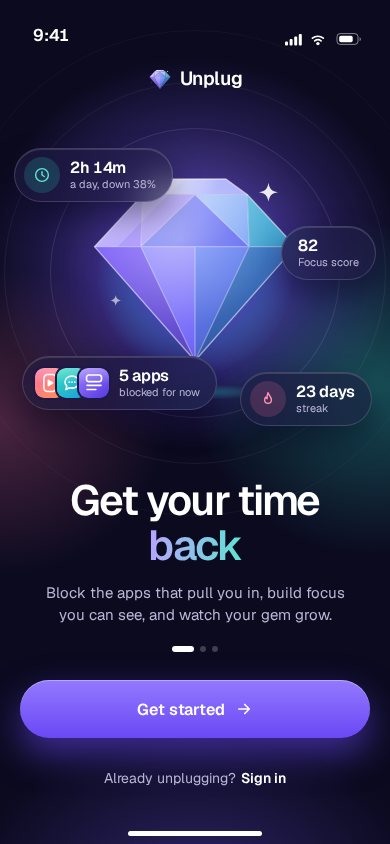
Unplug is a complete screen time app: an onboarding that projects your year on the phone, screen time access, choosing apps to block, a paywall, a home with the focus score, today's screen time by hour and the live session, a ring timer, the calm blocked screen, breaks, schedules, app limits, daily and weekly reports, insights, streaks, milestones and friends. Midnight indigo with aurora glows, frosted glass and a faceted gem that changes colour as the score climbs.
| Detail | Value |
|---|---|
| Screen type | Onboarding |
| App | Unplug: Screen time blocker |
| Category | Productivity |
| Design language | Glass, dark |
| Type | Geist |
| Colours | #0b0a1f background, #1a1836 surface, #ffffff text, #a5a3c2 text-muted, #7a5cff accent, #ffffff accent-contrast, #2fd6c3 secondary, #2b2850 border, #ff6f9c danger |
What this screen says
- Unplug
- 2h 14m
- a day, down 38%
- Focus score
- 5 apps
- blocked for now
- 23 days
- streak
- Get your time back
- Block the apps that pull you in, build focus you can see, and watch your gem grow.
- Get started
- Already unplugging?Sign in
Around it in Unplug
More onboarding screens
- Kanso Welcome: Tasks, calendar and chat
- Margin Welcome: AI note taking
- Aide Welcome: Executive AI assistant
- Juno Welcome: AI chat assistant
- Opal Welcome: Studio dashboard
- Jot Welcome: Quick notes and checklists
- Chrono Welcome: World clock, timers and stopwatch
- Frontdesk Welcome: Customer support inbox
- Campaign Welcome: Email marketing campaigns
- Outpost Welcome: Schedule social posts
- Pageview Welcome: Website analytics
- Polish Welcome: Writing assistant and keyboard
Every productivity app onboarding screen
What makes a good onboarding screen
- One idea per screen. Each screen should say one thing in a headline people can read in a second. If a screen needs a paragraph, it is doing too much.
- Personalise with a purpose. Ask a question only if the answer changes what people see next, like a goal, a level or an interest. Then show that the answer mattered.
- Explain permissions before asking. Show your own screen saying why you need notifications, location or the camera before the system prompt. People who understand the reason are more likely to allow it.
- Let people skip. A visible skip or "I'll do this later" respects returning users and the impatient. Make sure skipping still lands them somewhere useful.
The full onboarding screen guide and every example
Remix Unplug free: describe your own app and it is drawn in this design. Or get its files from $10: Figma, React Native, SwiftUI, Flutter and HTML.