Templates · Success and confirmation screens · Fitness app · Cradle
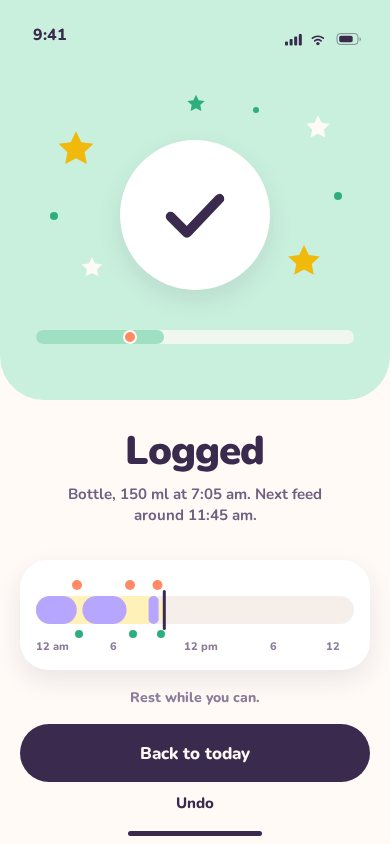
Cradle Logged screen
A success screen from Cradle, a baby tracker app template in a Playful style. Screen 13 of 25.
Cradle is cradle logs feeds, sleep and nappies in one tap and draws the day as a 24 hour ribbon. It covers growth curves with percentile bands, milestones, a weekly summary, handover notes between two carers and a deep plum night mode for the 3 am feed.
| Detail | Value |
|---|---|
| Screen type | Success |
| App | Cradle: Baby tracker |
| Category | Health and fitness |
| Design language | Playful, light |
| Type | Nunito |
| Colours | #fffaf6 background, #ffffff surface, #3a2a4d text, #ffd9c7 feeds, #d9d0ff accent, #fff1b8 milestones, #c9f0dd nappies and growth, #2a1c3d night mode |
What this screen says
- Logged
- Bottle, 150 ml at 7:05 am. Next feed around 11:45 am.
- Rest while you can.
- Back to today
- Undo
Around it in Cradle
More success and confirmation screens
- Careline Signed up: Care for an ageing parent
- Velo Booked: Live and on-demand indoor cycling
- Vantage Synced: Sports watch companion
- Labwork Booked: Book blood tests and see results
- Segment Saved: Runs and rides with friends
- Nightly Workout saved: Smart ring sleep and readiness
- Pillbox Order placed: Pharmacy refills and medicine reminders
- Rise Morning report: Alarm clock and sleep cycles
- Ward Checked in: Patient portal for results, visits and messages
- Level Order placed: Glucose monitor companion
- Reformer Booked: Pilates studio booking
- Sip Goal reached: Water intake and hydration
Every fitness app success screen
What makes a good confirmation screen
- Confirm in the headline. "Payment sent", "Table booked for Friday at 8" or "Lesson complete" in plain words, with a clear success colour or icon.
- Repeat the key details. Amount, date, reference number or score, so people do not need to check elsewhere that the right thing happened.
- Say what happens next. When the order arrives, when the money lands, when the next lesson unlocks.
- Offer the next step. Track the order, add to calendar, share, or start the next lesson. One primary action and a way back home.
The full confirmation screen guide and every example
Remix Cradle free: describe your own app and it is drawn in this design. Or get its files from $10: Figma, React Native, SwiftUI, Flutter and HTML.