Templates · Success and confirmation screens · Fitness app · Sip
Sip Goal reached screen
A success screen from Sip, a water intake and hydration app template in a Playful style. Screen 8 of 25.
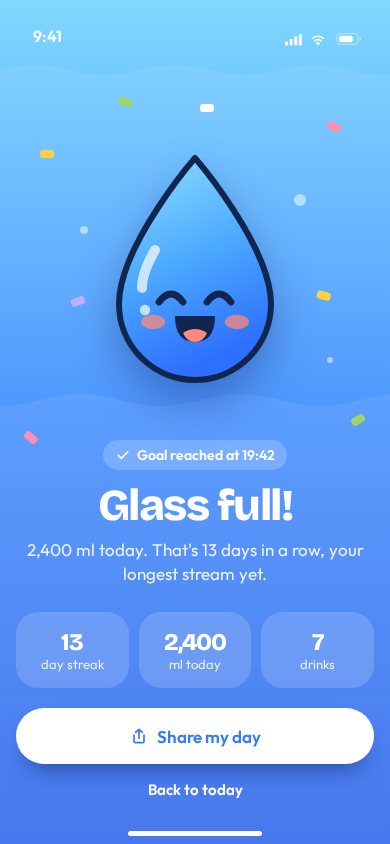
Sip is a complete hydration tracker: welcome, a personal goal from weight, activity and climate, sign in, a today screen with a filling glass and the day's sips, logging a drink, a drinks library and drink details with hydration factors, a goal reached celebration, history, weekly insights and a month of drops, a live workout with sweat loss and sip timers, reminders and a reminder editor, badges, a team challenge and friends, a bottle shop with a smart bottle, checkout and an order placed screen, Sip Plus, notifications, profile and settings. Lemonade cream with pool blue water, lemon, coral and mint.
| Detail | Value |
|---|---|
| Screen type | Success |
| App | Sip: Water intake and hydration |
| Category | Health and fitness |
| Design language | Playful, light |
| Type | Bricolage Grotesque for headings, Outfit for text |
| Colours | #fff8ee background, #ffffff surface, #10264f text, #7a86a3 text-muted, #2f7dff accent, #ffffff accent-contrast, #ffd23d secondary, #f1e7d6 border, #ff6f5b danger |
What this screen says
- Goal reached at 19:42
- Glass full!
- 2,400 ml today. That's 13 days in a row, your longest stream yet.
- 13day streak
- 2,400ml today
- 7drinks
- Share my day
- Back to today
Around it in Sip
More success and confirmation screens
- Donor Booked: Blood donation, counted drop by drop
- Unfold Flow complete: Yoga and stretching
- Kilo Workout done: Strength training log
- Cyra Logged: Cycle tracker
- Harbor Checked in: Therapy and mood
- Fasten Fast complete: Intermittent fasting
- Plate Logged: Calorie and macro tracker
- Vita Booked: Personal health record
- Forge Workout done: AI fitness and nutrition
- Lull All set: Sleep sounds and meditation
- Pace Workout complete: Fitness tracker
- Flexpass Booked: One membership, many studios
Every fitness app success screen
What makes a good confirmation screen
- Confirm in the headline. "Payment sent", "Table booked for Friday at 8" or "Lesson complete" in plain words, with a clear success colour or icon.
- Repeat the key details. Amount, date, reference number or score, so people do not need to check elsewhere that the right thing happened.
- Say what happens next. When the order arrives, when the money lands, when the next lesson unlocks.
- Offer the next step. Track the order, add to calendar, share, or start the next lesson. One primary action and a way back home.
The full confirmation screen guide and every example
Remix Sip free: describe your own app and it is drawn in this design. Or get its files from $10: Figma, React Native, SwiftUI, Flutter and HTML.