Templates · Settings screens · Food app · Courier
Courier Settings screen
A settings screen from Courier, a food delivery driver app template in a Playful style. Screen 25 of 25.
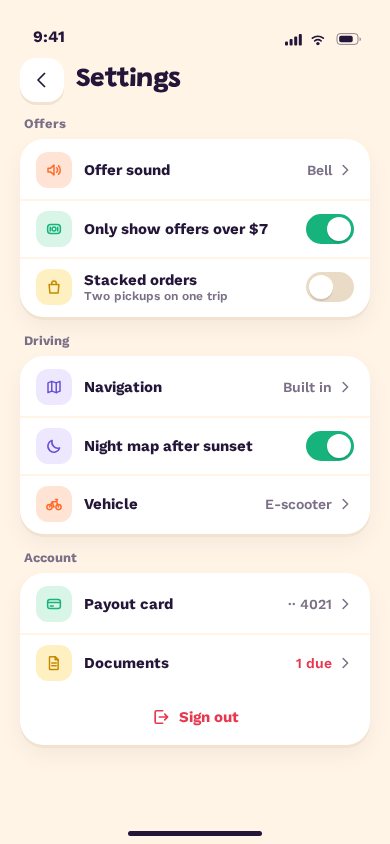
Courier is a complete delivery driver app: welcome, vehicle, sign in and a code, a home map with today's pay and a start button, zones, waiting online, an incoming offer with a countdown, driving to the restaurant, a pickup checklist, driving to the customer, chat, a drop-off photo and a delivered screen, earnings with a weekly chart, past deliveries, cash out, schedule, hotspots, ratings, a Plus plan, notifications, profile and settings. Cream and white with tangerine, plum ink and mint.
| Detail | Value |
|---|---|
| Screen type | Settings |
| App | Courier: Food delivery driver app |
| Category | Food |
| Design language | Playful, light |
| Type | Grandstander for headings, Work Sans for text |
| Colours | #fff4e6 background, #ffffff surface, #241638 text, #7b6f86 text-muted, #ff6a2b accent, #ffffff accent-contrast, #16b37c secondary, #f1e3d0 border, #e8384f danger |
What this screen says
- Settings
- Offers
- Offer sound
- Bell
- Only show offers over $7
- Stacked ordersTwo pickups on one trip
- Driving
- Navigation
- Built in
- Night map after sunset
- Vehicle
- E-scooter
- Account
- Payout card
- ·· 4021
- Documents
- 1 due
- Sign out
Around it in Courier
More settings screens
- Ladle Settings: Recipes and meal planning
- Pantry Settings: Grocery delivery
- Brewly Settings: Coffee ordering and loyalty
- Tabla Settings: Tables worth dressing for
- Corked Settings: Wine journal and cellar
- Crumb Settings: Neighbourhood bakery
- Tiffin Settings: Food delivery
- Picker Settings: Grocery shopper app
- Queue Settings: Join the waitlist from anywhere
- Nosh Settings: Local restaurant reviews
- Buns Settings: Burger chain ordering and deals
- Slice Settings: Pizza ordering with a live tracker
Every food app settings screen
What makes a good settings screen
- Group options into clear sections. Account, notifications, privacy, appearance and help, with headings, so people scan to the right group.
- Label settings by their effect. "Daily reminder at 8:00" is clearer than "Reminders". Add a short description under options that need one.
- Use the right control. Toggles for on and off, a row that opens a list for choices, and sliders only for ranges.
- Apply changes immediately. Most mobile settings take effect when changed, with no Save button to forget.
The full settings screen guide and every example
Remix Courier free: describe your own app and it is drawn in this design. Or get its files from $10: Figma, React Native, SwiftUI, Flutter and HTML.