Templates · Player, camera and editor screens · Lifestyle app · Byline
Byline Mini crossword screen
A media screen from Byline, a daily news reader app template in a Minimal style. Screen 16 of 25.
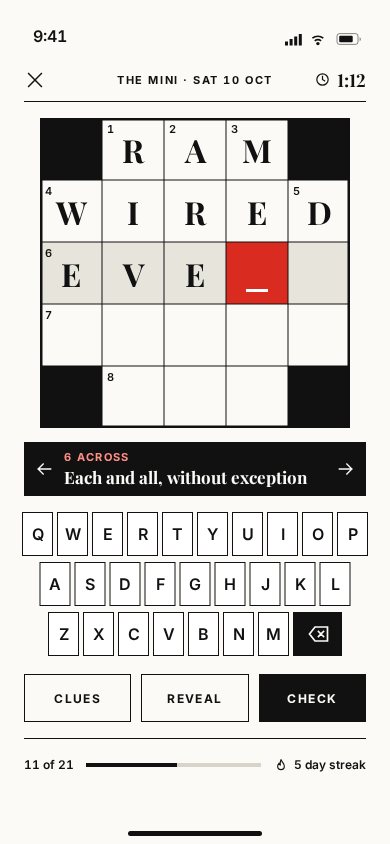
Byline is a complete news app for an invented city paper: welcome, sign in, a code and topic picks, a front page for today, an article with a drop cap and pull quote, live updates on a timeline, sections, a topic page, search, a writer page, audio briefings with a player, puzzles with a mini crossword, saved stories, alerts, reading stats, a subscription with payment, profile and settings. Everything is square cornered and ruled like a printed page, with red kept for what is live, new or selected.
| Detail | Value |
|---|---|
| Screen type | Media |
| App | Byline: Daily news reader |
| Category | Lifestyle |
| Design language | Minimal, light |
| Type | Playfair Display |
| Colours | #fbfaf7 background, #f0eee8 surface, #111111 text, #6e6a63 text-muted, #d92b1f accent, #ffffff accent-contrast, #111111 secondary, #d8d4ca border, #d92b1f danger |
What this screen says
- The mini · Sat 10 Oct
- 6 across Each and all, without exception
- Clues Reveal Check
- 11 of 21 5 day streak
Around it in Byline
More player, camera and editor screens
- Muse Grid: AI image studio
- Admit Scanner: Events and tickets near you
- Natal Live reading: Birth charts and daily astrology
- Sillage Scan bottle: Fragrance wardrobe
- Inked Try on: Tattoo artists and bookings
- Scrapbook Editor: Digital scrapbook journal
- Rinse Scan label: Laundry pickup and delivery
- Sable Story: Fashion store
- Bazaar Photos: Local buy and sell
- Drape Add item: AI wardrobe and daily outfits
- Mane Camera: AI hairstyle try-on
- Annex New project: AI interior redesign
Every lifestyle app media screen
What makes a good media player screen
- Content takes the space. Artwork, video or the camera view should fill most of the screen.
- Primary controls in the thumb zone. Play and pause, the shutter or the main tool, large and low on the screen.
- Show progress and position. A scrubber with elapsed and remaining time, or the step in a lesson.
- Hide secondary controls until needed. Lyrics, queue, filters and advanced tools can live behind a tap or a swipe.
The full media player screen guide and every example
Remix Byline free: describe your own app and it is drawn in this design. Or get its files from $10: Figma, React Native, SwiftUI, Flutter and HTML.