Templates · Player, camera and editor screens · Lifestyle app · Muse
Muse Grid screen
A media screen from Muse, an AI image studio app template in a Dark-first style. Screen 7 of 25.
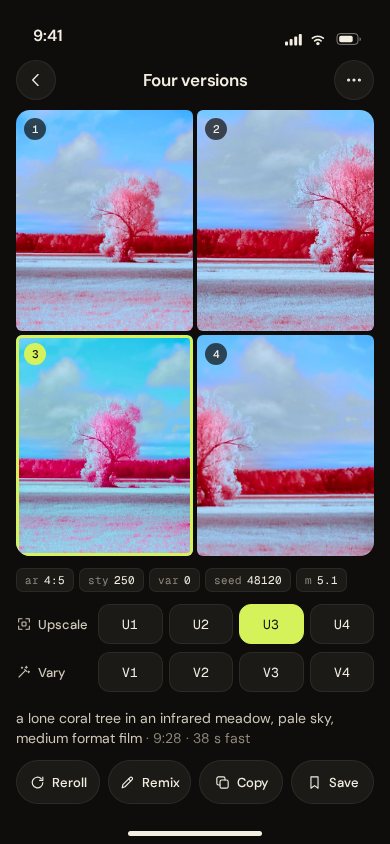
Muse is a complete AI image studio: welcome, a taste picker and sign in, a create feed of your jobs, a prompt composer with aspect, stylize, variety and mode, a live generating screen, the four image grid with upscale and vary, an upscaled image, region editing, an explore feed, search, a community image with its prompt, style codes and a style page, a creator profile, your archive, collections, usage of fast hours, plans with checkout and a confirmation, notifications, profile and settings. Warm ink black with ivory, chartreuse and lilac.
| Detail | Value |
|---|---|
| Screen type | Media |
| App | Muse: AI image studio |
| Category | Lifestyle |
| Design language | Dark-first, dark |
| Type | Instrument Serif for headings, DM Sans for text |
| Colours | #0e0d0b background, #1c1a16 surface, #f3ede2 text, #8f877a text-muted, #d6f25b accent, #12110e accent-contrast, #b9a7ff secondary, #2a2722 border, #ff7a5c danger |
What this screen says
- Four versions
- ar4:5 sty250 var0 seed48120 m5.1
- Upscale
- U1 U2 U3 U4
- Vary
- V1 V2 V3 V4
- a lone coral tree in an infrared meadow, pale sky, medium format film · 9:28 · 38 s fast
- Reroll
- Remix
- Copy
- Save
Around it in Muse
More player, camera and editor screens
- Annex New project: AI interior redesign
- Kino Player: Film and series streaming
- Grain Camera: Camera and photo editor
- Fern Identify: Plant care
- Doorstep Gallery: Homes for sale and rent
- Rewear Sell an item: Secondhand fashion marketplace
- Byline Now playing: Daily news reader
- Toolbox Scan: Hardware store and project lists
- Brief Watch: News in sixty words
- Kibble Vet chat: Pet supplies and autoship
- Filmlog Trailer: Film diary and reviews
- Postage Scan: Send parcels and find drop-off points
Every lifestyle app media screen
What makes a good media player screen
- Content takes the space. Artwork, video or the camera view should fill most of the screen.
- Primary controls in the thumb zone. Play and pause, the shutter or the main tool, large and low on the screen.
- Show progress and position. A scrubber with elapsed and remaining time, or the step in a lesson.
- Hide secondary controls until needed. Lyrics, queue, filters and advanced tools can live behind a tap or a swipe.
The full media player screen guide and every example
Remix Muse free: describe your own app and it is drawn in this design. Or get its files from $10: Figma, React Native, SwiftUI, Flutter and HTML.