Templates · Profile screens · Education app · Buzzer
Buzzer Profile screen
A profile screen from Buzzer, a live trivia app template in a Gen Z style. Screen 24 of 25.
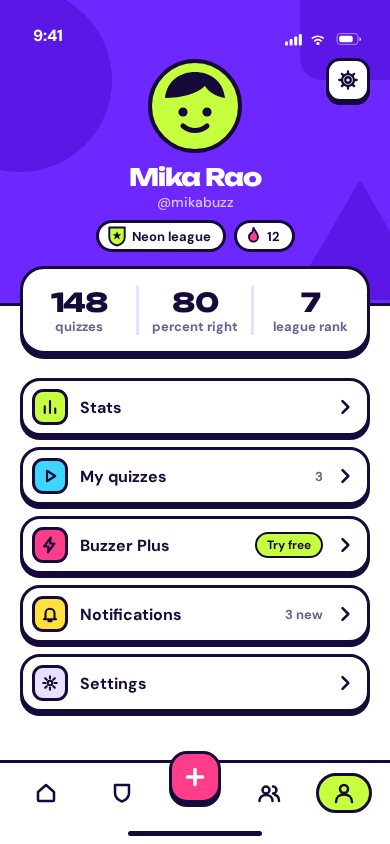
Buzzer is a complete live trivia app: welcome, sign in, picking topics and a name, a home counting down to the daily quiz, the lobby, a question with a countdown ring, the answer reveal, results and a podium, leagues with promotion zones, challenging a friend head to head, friends, categories, building and publishing your own quiz, stats, a Plus plan, notifications, profile and settings. Everything is drawn: shape marks, geometric avatars, shields and podiums.
| Detail | Value |
|---|---|
| Screen type | Profile |
| App | Buzzer: Live trivia |
| Category | Education |
| Design language | Gen Z, light |
| Type | DM Sans |
| Colours | #6d28ff background, #ffffff surface, #160a3a text, #6b6190 text-muted, #c6ff3d accent, #160a3a accent-contrast, #ff3d8b secondary, #160a3a border, #3dd6ff info |
What this screen says
- Mika Rao
- @mikabuzz
- Neon league
- 148quizzes
- 80percent right
- 7league rank
- Stats
- My quizzes 3
- Buzzer Plus Try free
- Notifications 3 new
- Settings
Around it in Buzzer
More profile screens
- Syntax Profile: Learn to code
- Tuckin Who is listening: Bedtime stories for kids
- Zenith Profile: Night sky guide
- Chalk Mentor: Design courses
- Encore Creator: Creator courses
- Classroom Profile: Class stream and assignments
- Studyhall Profile: Free lessons and practice for school
- Tutor Profile: Book online tutors for any skill
- Leaf Author: E-books and reading
- Almanac Profile: The free encyclopedia reader
- Tiles Profile: Daily word and number puzzles
- Stacks Profile: Borrow e-books and audiobooks from your library
Every education app profile screen
What makes a good profile screen
- Lead with identity. Photo, name and one line about the person at the top. It confirms whose profile this is.
- Show meaningful stats. Two to four numbers that matter in this app, like workouts, followers, books read or streak.
- Make editing obvious for the owner. An Edit profile button near the top, shown only on your own profile.
- Organise content with tabs. Posts, activity, saved or achievements as tabs keep a long profile tidy.
The full profile screen guide and every example
Remix Buzzer free: describe your own app and it is drawn in this design. Or get its files from $10: Figma, React Native, SwiftUI, Flutter and HTML.