Templates · Player, camera and editor screens · Social app · Banter
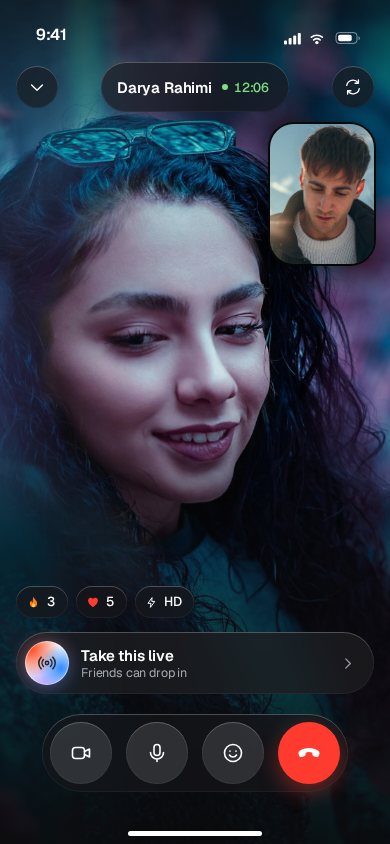
Banter Video call screen
A media screen from Banter, a live messenger app template in a Dark-first style. Screen 19 of 25.
Banter is a complete live messenger: welcome, phone sign in and code, profile setup, chats with story rings and filters, search, a group chat with stacked photos and reactions, disappearing photos, a camera, stories, updates, going live to friends with a live room and a recap, voice and video calls, notifications, profile, weekly activity, a Plus plan, privacy and settings. Cold glossy black with glass controls, green for online and time, red for live and counts, and an iridescent orb as the signature.
| Detail | Value |
|---|---|
| Screen type | Media |
| App | Banter: Live messenger |
| Category | Social |
| Design language | Dark-first, dark |
| Type | Geist |
| Colours | #0a0a0b background, #1c1c1f surface, #ffffff text, #9c9ca6 text-muted, #3d8bff accent, #ffffff accent-contrast, #ff5a2e secondary, #26262a border, #ff3b30 danger |
What this screen says
- Darya Rahimi
- 3 5 HD
- Take this live
- Friends can drop in
Around it in Banter
More player, camera and editor screens
- Candid Camera: One real photo a day
- Blink Edit snap: Camera chat and stories
- Cipher Voice call: Encrypted private messenger
- Commons Memories: Friends, groups and events
- Facet Calling: Video calls with family and friends
- Aura Story: Moods with close friends
- Kindly Story: Volunteering near you
- Cohort Session: Alumni and mentor network
- Kin Album: Private family circle
- Confetti Design invite: Party invites and RSVPs
- Ripple Now playing: Voice notes social
- Duo Our year: An app for two
What makes a good media player screen
- Content takes the space. Artwork, video or the camera view should fill most of the screen.
- Primary controls in the thumb zone. Play and pause, the shutter or the main tool, large and low on the screen.
- Show progress and position. A scrubber with elapsed and remaining time, or the step in a lesson.
- Hide secondary controls until needed. Lyrics, queue, filters and advanced tools can live behind a tap or a swipe.
The full media player screen guide and every example
Remix Banter free: describe your own app and it is drawn in this design. Or get its files from $10: Figma, React Native, SwiftUI, Flutter and HTML.