Templates · Detail screens · Education app · Almanac
Almanac Article screen
A detail screen from Almanac, an education app template in a Minimal style. Screen 4 of 25.
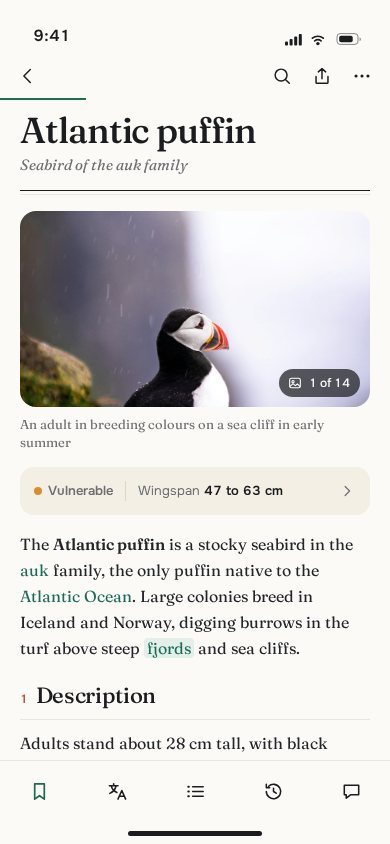
Almanac is a complete encyclopedia reader: welcome, sign in, an explore feed with the featured article, trending reads, on this day and the picture of the day, a full article with contents, quick facts and link previews, search with suggestions and results, saved reading lists, a map of articles nearby, page history, talk threads, section editing, the same article in 74 languages, reading stats, and a supporter plan with a donation, receipt, notifications, profile and settings. Paper white and ink, with viridian links and one vermilion accent.
| Detail | Value |
|---|---|
| Screen type | Detail |
| App | Almanac: The free encyclopedia reader |
| Category | Education |
| Design language | Minimal, light |
| Type | Fraunces for headings, Onest for text |
| Colours | #fbfaf6 background, #ffffff surface, #1a1c1f text, #6c6e72 text-muted, #1d6b58 accent, #e3efe9 accent-tint, #c8502f secondary, #f3efe5 parchment, #e8e6df border |
What this screen says
- Atlantic puffin
- Seabird of the auk family
- 1 of 14
- An adult in breeding colours on a sea cliff in early summer
- Vulnerable Wingspan 47 to 63 cm
- The Atlantic puffin is a stocky seabird in the
- auk
- family, the only puffin native to the
- Atlantic Ocean
- . Large colonies breed in Iceland and Norway, digging burrows in the turf above steep fjords and sea cliffs.
- 1 Description
- Adults stand about 28 cm tall, with black backs, white fronts and a broad bill striped in orange, yellow and slate grey.
Around it in Almanac
More detail screens
- Penpal Chat: Language exchange chat
- Lexis Word: A word a day
- Quanta Mechanics: Interactive physics lessons
- Cram Subject: Exam prep and mock tests
- Quad Class: University campus app
- Palm Unit: Learn sign language
- Epoch Era: History on a timeline
- Wren Book: Early reading for kids
- Proof Working: Maths tutor that shows its working
- Skim Book: Speed reading trainer
- Terra Portugal: Geography and flags quiz
- Gambit Daily puzzle: Chess training
Every education app detail screen
What makes a good detail screen
- Lead with what identifies the item. A large image or title, the price or status, and the key facts at the top. People should know they are in the right place at a glance.
- Keep the main action visible. A sticky bottom button for Add to cart, Book or Play stays reachable while people scroll through details.
- Order information by importance. The facts that decide the choice come first; reviews, specifications and fine print further down.
- Use progressive disclosure. Long descriptions, specifications and policies can expand on tap rather than filling the screen.
The full detail screen guide and every example
Remix Almanac free: describe your own app and it is drawn in this design. Or get its files from $10: Figma, React Native, SwiftUI, Flutter and HTML.