Templates · Success and confirmation screens · Social app · Agora
Agora Posted screen
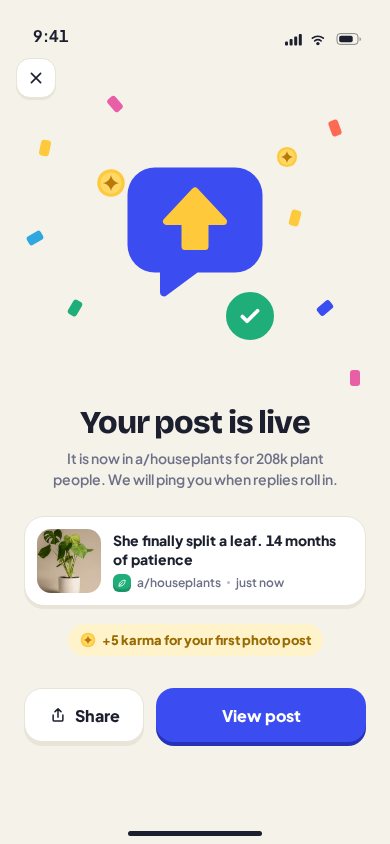
A success screen from Agora, a social app template in a Playful style. Screen 14 of 25.
Agora is a complete community forum app: welcome, topic picker and sign in, a home feed with sort chips and your communities, posts with photos, nested comment threads with colour coded thread lines, a reply composer, community pages with rules and moderators, explore and search, a create post form, a live poll, inbox and chat, notifications, a profile with karma, post insights, saved items, giving an award with sparks, an Agora Plus plan and settings. Warm oat and white with cobalt votes and sun yellow sparks.
| Detail | Value |
|---|---|
| Screen type | Success |
| App | Agora: Communities, threads and votes |
| Category | Social |
| Design language | Playful, light |
| Type | Bricolage Grotesque for headings, Plus Jakarta Sans for text |
| Colours | #f5f2ea background, #ffffff surface, #1c1f2e text, #6e7186 text-muted, #3b4cf0 accent, #ffffff accent-contrast, #ffc93c secondary, #e9e4d8 border, #ff6a55 danger |
What this screen says
- Your post is live
- It is now in a/houseplants for 208k plant people. We will ping you when replies roll in.
- She finally split a leaf. 14 months of patience
- a/houseplantsjust now
- +5 karma for your first photo post
- Share
- View post
Around it in Agora
More success and confirmation screens
- Nearly Match: Dating by crossed paths
- Linkup Applied: Professional network and jobs
- Quorum Question posted: Questions and expert answers
- Backer Joined: Support creators with memberships
- Pledged: Back creative projects
- Civic Report sent: Report issues and city services
- Guild Plus active: Community servers with voice and text chat
- Parrot Payment sent: Private messaging, groups and calls
- Carrier Post scheduled: Cloud messaging with channels
- Vista Shared: Photos, stories and reels
- Flick Posted: Short video feed
- Squawk You are Plus: Short posts and live conversation
Every social app success screen
What makes a good confirmation screen
- Confirm in the headline. "Payment sent", "Table booked for Friday at 8" or "Lesson complete" in plain words, with a clear success colour or icon.
- Repeat the key details. Amount, date, reference number or score, so people do not need to check elsewhere that the right thing happened.
- Say what happens next. When the order arrives, when the money lands, when the next lesson unlocks.
- Offer the next step. Track the order, add to calendar, share, or start the next lesson. One primary action and a way back home.
The full confirmation screen guide and every example
Remix Agora free: describe your own app and it is drawn in this design. Or get its files from $10: Figma, React Native, SwiftUI, Flutter and HTML.