Templates · Player, camera and editor screens · Productivity app · Scanly
Scanly Scan screen
A media screen from Scanly, a document scanner app template in a Clinical style. Screen 8 of 25.
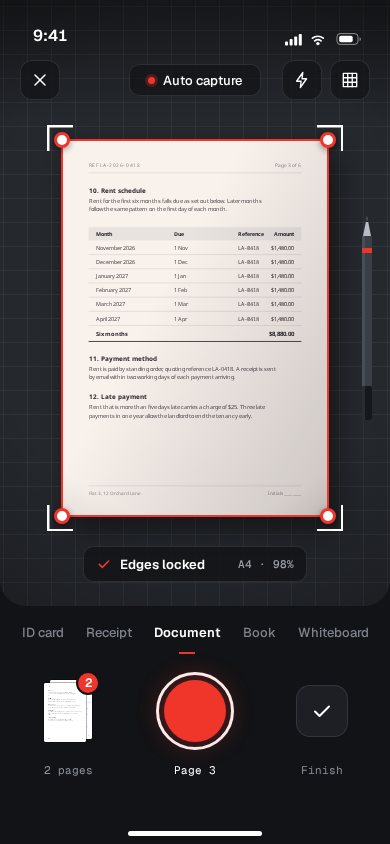
Scanly is a complete document scanner: welcome, sign in, a code, camera access, a home with recent scans, the camera with edge detection, crop, filters, page order, the document, recognised text, signing, details, export and a done screen, folders, a folder, search inside scans, usage, a Pro plan, profile, settings and an app lock. White screens for filing, graphite screens for the camera and editor, and one red for the scan line.
| Detail | Value |
|---|---|
| Screen type | Media |
| App | Scanly: Document scanner |
| Category | Productivity |
| Design language | Clinical, light |
| Type | Geist |
| Colours | #ffffff background, #f5f6f8 surface, #16181c text, #6b7178 text-muted, #f0352b accent, #ffffff accent-contrast, #2a2d33 secondary, #e4e6ea border, #c4221a danger |
What this screen says
- Edges locked A4 · 98%
- Auto capture
- ID card Receipt DocumentBook Whiteboard
- 2 pages
- Page 3
- Finish
Around it in Scanly
More player, camera and editor screens
- Stash Listen: Read-it-later and highlights
- Branch Canvas: Mind maps
- Stow Photo preview: Cloud storage
- Meridian Reader: Mobile web browser
- Swarm Media: Torrent client
- Convene Preview: Video meetings
- Pomo Sound mix: Focus timer
- Inkwell Add photos: Daily journal
- Shortlist Practice question: Job search and application tracker
- Parley Status: Team messenger
- Docket Call: Task and sprint planner
- Margin Voice note: AI note taking
Every productivity app media screen
What makes a good media player screen
- Content takes the space. Artwork, video or the camera view should fill most of the screen.
- Primary controls in the thumb zone. Play and pause, the shutter or the main tool, large and low on the screen.
- Show progress and position. A scrubber with elapsed and remaining time, or the step in a lesson.
- Hide secondary controls until needed. Lyrics, queue, filters and advanced tools can live behind a tap or a swipe.
The full media player screen guide and every example
Remix Scanly free: describe your own app and it is drawn in this design. Or get its files from $10: Figma, React Native, SwiftUI, Flutter and HTML.