Templates · Profile screens · Travel app · Roamly
Roamly Profile screen
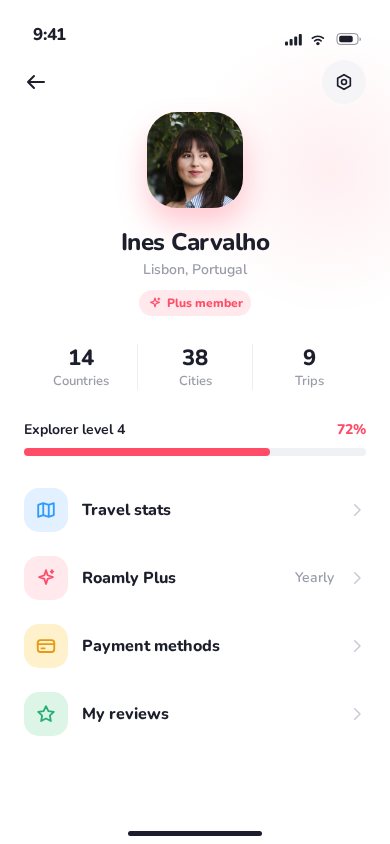
A profile screen from Roamly, a travel app template in a Playful style. Screen 24 of 25.
Roamly is a complete travel app: onboarding, sign in, a discover home with illustrated destination cards and categories, explore by type of trip, search and filters, destination, stay and experience details, a day by day tour plan, reviews, dates and guests, payment, a booking confirmation, trips, saved places, notifications, travel stats, a membership, profile and settings. White and coral red with a rounded font, tall photos and drawn travel illustrations.
| Detail | Value |
|---|---|
| Screen type | Profile |
| App | Roamly: Trips, stays and experiences |
| Category | Travel |
| Design language | Playful, light |
| Type | Nunito |
| Colours | #ffffff background, #f5f5f8 surface, #1c1e2b text, #9a9da9 text-muted, #ff4d67 accent, #ffffff accent-contrast, #2f9bff secondary, #ececf1 border, #d92d3a danger |
What this screen says
- Ines Carvalho
- Lisbon, Portugal
- Plus member
- 14Countries
- 38Cities
- 9Trips
- Explorer level 472%
- Travel stats
- Roamly Plus
- Yearly
- Payment methods
- My reviews
Around it in Roamly
More profile screens
- Linea Profile: City transit
- Hollow Profile: Cabin and boutique stays
- Aloft Profile: Flight tracker
- Pitch Profile: Campsite booking and trip kit
- Hail Account: Ride hailing
- Volta Profile: EV charging
- Museo Profile: Museum guide
- Jaunt Profile: Bus, train and flight booking
- Spoke Profile: Bike sharing
- Navara Profile: Yacht charter
- Voya Profile: Travel booking
- Wheelhouse Profile: Driver app for ride hailing
Every travel app profile screen
What makes a good profile screen
- Lead with identity. Photo, name and one line about the person at the top. It confirms whose profile this is.
- Show meaningful stats. Two to four numbers that matter in this app, like workouts, followers, books read or streak.
- Make editing obvious for the owner. An Edit profile button near the top, shown only on your own profile.
- Organise content with tabs. Posts, activity, saved or achievements as tabs keep a long profile tidy.
The full profile screen guide and every example
Remix Roamly free: describe your own app and it is drawn in this design. Or get its files from $10: Figma, React Native, SwiftUI, Flutter and HTML.