Templates · Success and confirmation screens · Music app · Riff
Riff Plus active screen
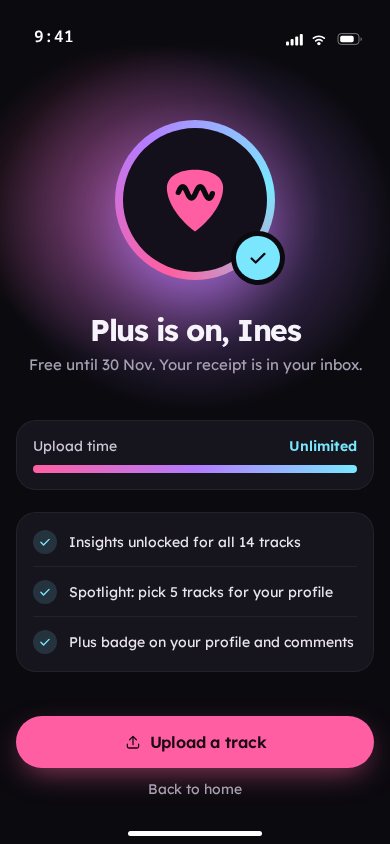
A success screen from Riff, an upload and discover new tracks app template in a Dark-first style. Screen 23 of 25.
Riff is a complete upload and discovery app for independent music: welcome, genre picks and sign up, a home of fresh and trending tracks, a stream of uploads and reposts from people you follow, a track page and full player with timed comments on the waveform, comments, search and results, an artist page, a playlist, library, likes and up next, a three step upload with details and a published screen, artist insights, activity, a Plus plan with checkout and confirmation, a profile and settings. Violet black with hot pink, violet and ice blue.
| Detail | Value |
|---|---|
| Screen type | Success |
| App | Riff: Upload and discover new tracks |
| Category | Music |
| Design language | Dark-first, dark |
| Type | Lexend |
| Colours | #0b0a0f background, #16141c surface, #f6f3fa text, #8f8a9b text-muted, #ff5fa2 accent, #1a0711 accent-contrast, #b47cff secondary, #26232e border, #ff5d5d danger |
What this screen says
- Plus is on, Ines
- Free until 30 Nov. Your receipt is in your inbox.
- Upload time Unlimited
- Insights unlocked for all 14 tracks
- Spotlight: pick 5 tracks for your profile
- Plus badge on your profile and comments
- Upload a track
- Back to home
Around it in Riff
More success and confirmation screens
- Groove Order placed: Vinyl collection and crate digging
- Crossfade Mix saved: DJ mixing on the go
- Fork Session saved: Tuner and metronome
- Belt Booked: Karaoke nights
- Crowd Logged: Concert diary and setlists
- Dial Supported: Internet radio from everywhere
- Chorus Lesson done: Singing lessons and pitch training
- Verse Signed: Songwriting notebook
- Masters Payout sent: Royalties and streams for artists
- Sonata Booked: Concert hall season and tickets
- Quire Session complete: Sheet music and practice
- Wax Plan active: Music streaming
Every music app success screen
What makes a good confirmation screen
- Confirm in the headline. "Payment sent", "Table booked for Friday at 8" or "Lesson complete" in plain words, with a clear success colour or icon.
- Repeat the key details. Amount, date, reference number or score, so people do not need to check elsewhere that the right thing happened.
- Say what happens next. When the order arrives, when the money lands, when the next lesson unlocks.
- Offer the next step. Track the order, add to calendar, share, or start the next lesson. One primary action and a way back home.
The full confirmation screen guide and every example
Remix Riff free: describe your own app and it is drawn in this design. Or get its files from $10: Figma, React Native, SwiftUI, Flutter and HTML.