Templates · Success and confirmation screens · Music app · Chorus
Chorus Lesson done screen
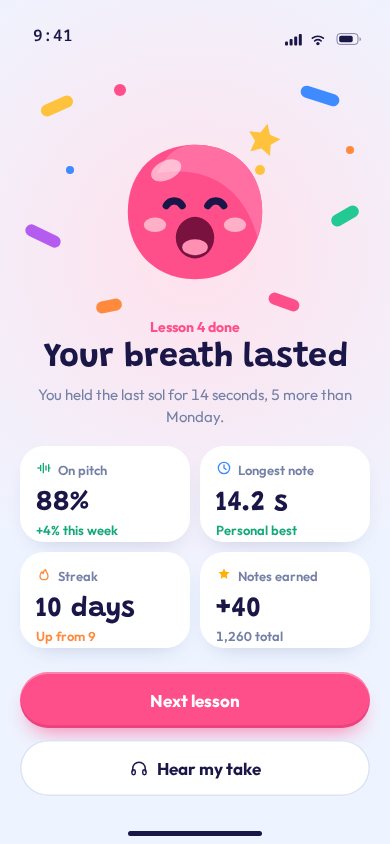
A success screen from Chorus, a singing lessons and pitch training app template in a Playful style. Screen 10 of 25.
Chorus is a complete singing coach in your pocket: welcome, a live range test that finds your voice type, sign up, a home with today's lesson, a course path, a lesson page, a lip trill warm-up, live pitch matching on a note lane, a lesson complete moment, a song library sorted by your range, a song page, karaoke sing along with a score, your recorded takes, an interval ear quiz, live coaches with booking, checkout and a booked screen, progress charts, a Pro plan, notifications, profile and settings. Every note has its own colour, from pink do to purple ti.
| Detail | Value |
|---|---|
| Screen type | Success |
| App | Chorus: Singing lessons and pitch training |
| Category | Music |
| Design language | Playful, light |
| Type | Grandstander for headings, Outfit for text |
| Colours | #eef4ff background, #ffffff surface, #1a1748 text, #7480a6 text-muted, #ff4f8b accent, #ffffff accent-contrast, #22c993 secondary, #dbe4f4 border, #ff8a3d danger |
What this screen says
- Lesson 4 done
- Your breath lasted
- You held the last sol for 14 seconds, 5 more than Monday.
- On pitch88%+4% this week
- Longest note14.2 sPersonal best
- Streak10 daysUp from 9
- Notes earned+401,260 total
- Next lesson
- Hear my take
Around it in Chorus
More success and confirmation screens
- Wax Plan active: Music streaming
- Earshot Clip saved: Podcast player
- Strum Lesson complete: Learn guitar, one chord at a time
- Gigly Booked: Gig and festival tickets
- Padd Beat shared: Beat maker
- Aria Added to library: Audiobook library
- Hum Booked: Song recognition
- Riff Published: Upload and discover new tracks
- Groove Order placed: Vinyl collection and crate digging
- Crossfade Mix saved: DJ mixing on the go
- Fork Session saved: Tuner and metronome
- Belt Booked: Karaoke nights
Every music app success screen
What makes a good confirmation screen
- Confirm in the headline. "Payment sent", "Table booked for Friday at 8" or "Lesson complete" in plain words, with a clear success colour or icon.
- Repeat the key details. Amount, date, reference number or score, so people do not need to check elsewhere that the right thing happened.
- Say what happens next. When the order arrives, when the money lands, when the next lesson unlocks.
- Offer the next step. Track the order, add to calendar, share, or start the next lesson. One primary action and a way back home.
The full confirmation screen guide and every example
Remix Chorus free: describe your own app and it is drawn in this design. Or get its files from $10: Figma, React Native, SwiftUI, Flutter and HTML.