Templates · Onboarding screens · Sports app · Rally
Rally Welcome screen
An onboarding screen from Rally, a tennis and padel club app template in a Minimal style. Screen 1 of 25.
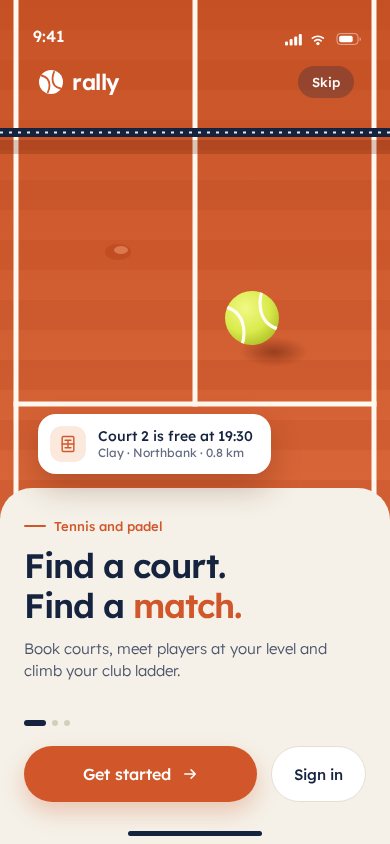
Rally is a complete racquet sports app: welcome, sign in, a code and a level check, a home with the next match, court search, a club page, booking on a court picker with time slots, payment and a confirmation, bookings, partners by level, a player page, open matches, score entry on a scoreboard, a match result, the club ladder, coaching, stats, a Plus plan, profile and settings. Clay orange marks whatever is selected, live or yours.
| Detail | Value |
|---|---|
| Screen type | Onboarding |
| App | Rally: Tennis and padel club |
| Category | Sports |
| Design language | Minimal, light |
| Type | Lexend |
| Colours | #f5f1e8 background, #ffffff surface, #15233f text, #636b80 text-muted, #d1572a accent, #ffffff accent-contrast, #15233f secondary, #e6dfd1 border, #c2372b danger |
What this screen says
- rally
- Skip
- Court 2 is free at 19:30
- Clay · Northbank · 0.8 km
- Tennis and padel
- Find a court.
- Find a match.
- Book courts, meet players at your level and climb your club ladder.
- Get started
- Sign in
Around it in Rally
More onboarding screens
- Lapse Welcome: Swim training
- Angler Welcome: A fishing log drawn on the depth chart
- Piste Welcome: Ski resort companion
- Crag Welcome: Climbing gym logbook
- Fairway Welcome: Golf course guide and scorecard
- Matchday Welcome: Football scores and fantasy
- Swell Welcome: Surf forecast
- Pitwall Welcome: Race engineering
- Elevens Welcome: Fantasy cricket leagues
- Scoreboard Welcome: Scores and news for every sport
- Bib Welcome: Find and enter races
- Wicket Welcome: Live cricket scores
Every sports app onboarding screen
What makes a good onboarding screen
- One idea per screen. Each screen should say one thing in a headline people can read in a second. If a screen needs a paragraph, it is doing too much.
- Personalise with a purpose. Ask a question only if the answer changes what people see next, like a goal, a level or an interest. Then show that the answer mattered.
- Explain permissions before asking. Show your own screen saying why you need notifications, location or the camera before the system prompt. People who understand the reason are more likely to allow it.
- Let people skip. A visible skip or "I'll do this later" respects returning users and the impatient. Make sure skipping still lands them somewhere useful.
The full onboarding screen guide and every example
Remix Rally free: describe your own app and it is drawn in this design. Or get its files from $10: Figma, React Native, SwiftUI, Flutter and HTML.