Templates · Onboarding screens · Sports app · Pitwall
Pitwall Welcome screen
An onboarding screen from Pitwall, a race engineering app template in a Dark-first style. Screen 1 of 24.
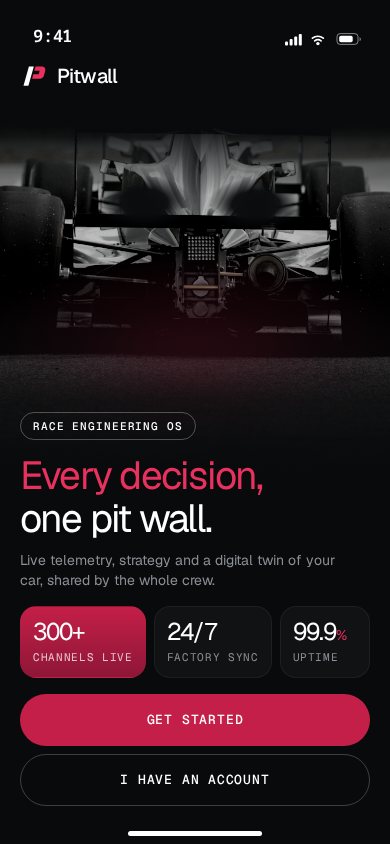
Pitwall is a complete race engineering app on carbon black: onboarding, sign in, a mission control home, a live track map, timing, driver and team radio, strategy and pit stops, a digital twin of the car with tyres, powertrain, brakes and telemetry, system logs and alerts, and a car development lab with simulations and design variables. Crimson for what matters, steel blue for reference data, mono labels throughout.
| Detail | Value |
|---|---|
| Screen type | Onboarding |
| App | Pitwall: Race engineering |
| Category | Sports |
| Design language | Dark-first, dark |
| Type | Geist Mono for headings, Geist for text |
| Colours | #080a0b background, #101214 surface, #ffffff text, #8b9096 text-muted, #c41f48 accent, #ffffff accent-contrast, #6ca9d4 secondary, #1d2023 border, #ff4d6d danger |
What this screen says
- Pitwall
- RACE ENGINEERING OS
- Every decision, one pit wall.
- Live telemetry, strategy and a digital twin of your car, shared by the whole crew.
- 300+Channels live
- 24/7Factory sync
- 99.9%Uptime
- Get started
- I have an account
Around it in Pitwall
More onboarding screens
- Wicket Welcome: Live cricket scores
- Courtside Welcome: Pickup basketball games
- Tack Welcome: Sailing wind and regatta tracker
- Frag Welcome: Esports tournaments and teams
- Canter Welcome: Riding stables and lessons
- Ollie Welcome: Skate spots and clips
- Eddy Welcome: River levels for paddlers
- Whistle Welcome: Grassroots league manager for coaches
- Oche Welcome: Darts scorer and leagues
- Cairn Welcome: Trails, contours and summits on one map sheet
- Lapse Welcome: Swim training
- Angler Welcome: A fishing log drawn on the depth chart
Every sports app onboarding screen
What makes a good onboarding screen
- One idea per screen. Each screen should say one thing in a headline people can read in a second. If a screen needs a paragraph, it is doing too much.
- Personalise with a purpose. Ask a question only if the answer changes what people see next, like a goal, a level or an interest. Then show that the answer mattered.
- Explain permissions before asking. Show your own screen saying why you need notifications, location or the camera before the system prompt. People who understand the reason are more likely to allow it.
- Let people skip. A visible skip or "I'll do this later" respects returning users and the impatient. Make sure skipping still lands them somewhere useful.
The full onboarding screen guide and every example
Remix Pitwall free: describe your own app and it is drawn in this design. Or get its files from $10: Figma, React Native, SwiftUI, Flutter and HTML.