Templates · Player, camera and editor screens · Food app · Lunchbox
Lunchbox Snap the box screen
A media screen from Lunchbox, a school lunch planner for parents app template in a Playful style. Screen 18 of 25.
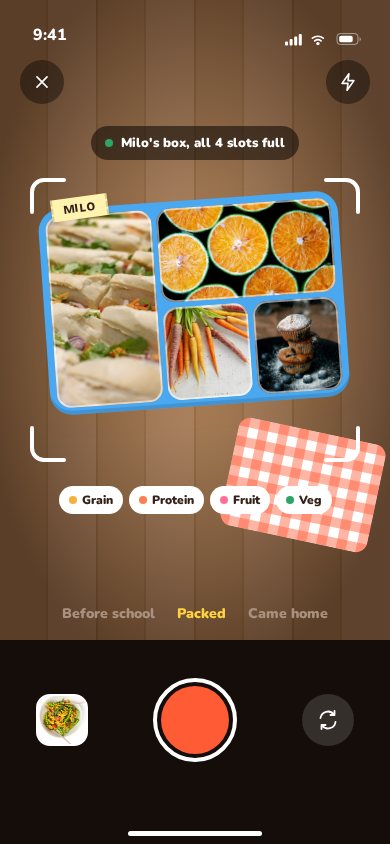
Lunchbox is a complete school lunch planner: welcome, adding your kids with allergies and school rules, sign in, a today screen with each child's bento box, a week plan, building a box compartment by compartment, smart swaps, ideas, search and recipes, the school's hot lunch menu, pantry, a shopping list with grocery checkout and confirmation, a morning packing mode with a timer and a packed screen, a camera to snap the box, the after school lunch report, a food group balance dashboard, a child profile, notifications, a Plus plan, profile and settings. Cream and white with tomato, sky and berry.
| Detail | Value |
|---|---|
| Screen type | Media |
| App | Lunchbox: School lunch planner for parents |
| Category | Food |
| Design language | Playful, light |
| Type | Bricolage Grotesque for headings, Nunito for text |
| Colours | #fff6e8 background, #ffffff surface, #33211a text, #8c7262 text-muted, #ff5b35 accent, #ffffff accent-contrast, #4aa8f0 secondary, #f0dfc8 border, #e5484d danger |
What this screen says
- Milo
- Milo's box, all 4 slots full
- Grain Protein Fruit Veg
- Before school Packed Came home
Around it in Lunchbox
More player, camera and editor screens
- Corked Scan a label: Wine journal and cellar
- Courier Drop off: Food delivery driver app
- Picker Scan: Grocery shopper app
- Nosh Photos: Local restaurant reviews
- Buns Scan receipt: Burger chain ordering and deals
- Crate Cook mode: Meal kits delivered weekly
- Menu Scan table: Scan, order and pay at the table
- Mart Scan and go: Supermarket app with loyalty and scan and go
- Agave Mix: Cocktails and home bar
- Crock Jar photo: Fermentation and sourdough starter log
- Curbside Drops: Street food and food truck finder
- Forage Cook mode: Farmers market and veg box
What makes a good media player screen
- Content takes the space. Artwork, video or the camera view should fill most of the screen.
- Primary controls in the thumb zone. Play and pause, the shutter or the main tool, large and low on the screen.
- Show progress and position. A scrubber with elapsed and remaining time, or the step in a lesson.
- Hide secondary controls until needed. Lyrics, queue, filters and advanced tools can live behind a tap or a swipe.
The full media player screen guide and every example
Remix Lunchbox free: describe your own app and it is drawn in this design. Or get its files from $10: Figma, React Native, SwiftUI, Flutter and HTML.