Templates · Paywall screens · Sports app · Lapse
Lapse Plus screen
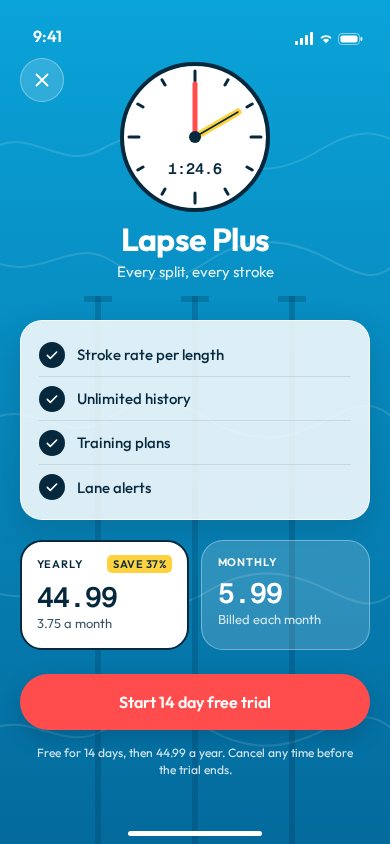
A paywall screen from Lapse, a swim training app template in a Glass style. Screen 22 of 25.
Lapse is a complete swim training app seen from above the water: welcome, sign in, setting up your pool, a home with this morning's swim and the week's distance, logging a set, a session with lap splits and stroke rate, a pace clock, a pool finder with lane availability, technique drills, training plans, a swim log, personal bests, a weekly goal, a Plus plan, notifications, profile and settings. Everything is drawn: lane lines, ropes, a pace clock dial and stroke pictograms.
| Detail | Value |
|---|---|
| Screen type | Paywall |
| App | Lapse: Swim training |
| Category | Sports |
| Design language | Glass, light |
| Type | Outfit |
| Colours | #0aa3d9 background, #ffffff surface, #06283d text, #4d7186 text-muted, #ff4d4d accent, #ffffff accent-contrast, #ffd23f secondary, #046a9c border, #ff4d4d danger |
What this screen says
- Lapse Plus
- Every split, every stroke
- Stroke rate per length
- Unlimited history
- Training plans
- Lane alerts
- Yearly SAVE 37% 44.99
- 3.75 a month
- Monthly 5.99
- Billed each month
- Start 14 day free trial
- Free for 14 days, then 44.99 a year. Cancel any time before the trial ends.
Around it in Lapse
More paywall screens
- Fairway Gold: Golf course guide and scorecard
- Matchday Pro: Football scores and fantasy
- Rally Plus: Tennis and padel club
- Swell Plus: Surf forecast
- Pitwall Pro: Race engineering
- Elevens Plus: Fantasy cricket leagues
- Scoreboard Plus: Scores and news for every sport
- Bib Plus: Find and enter races
- Wicket Pro: Live cricket scores
- Courtside Pro: Pickup basketball games
- Tack Pro: Sailing wind and regatta tracker
- Frag Pro: Esports tournaments and teams
Every sports app paywall screen
What makes a good paywall screen
- Lead with the outcome, not the feature list. The headline should say what changes for the person: "Train smarter every week" beats "Unlock Premium". Three to five benefits underneath are enough; more turns into a wall of ticks nobody reads.
- Show the real price, period and trial terms. State the price, how often it renews and when a free trial turns into a charge, near the button. Apple's App Store guideline 3.1.2 asks subscription apps to make this clear before purchase, and Google Play has similar rules.
- One primary button. The main call to action should be impossible to miss and say what happens: "Start 7-day free trial" or "Subscribe for $4.99/month". A second plan choice is fine; a second competing button is not.
- Make the plans easy to compare. When you offer monthly and yearly, show both prices in the same unit (per month or per week) and mark the saving on the yearly plan in plain numbers, not just a badge.
The full paywall screen guide and every example
Remix Lapse free: describe your own app and it is drawn in this design. Or get its files from $10: Figma, React Native, SwiftUI, Flutter and HTML.