Templates · Paywall screens · Sports app · Wicket
Wicket Pro screen
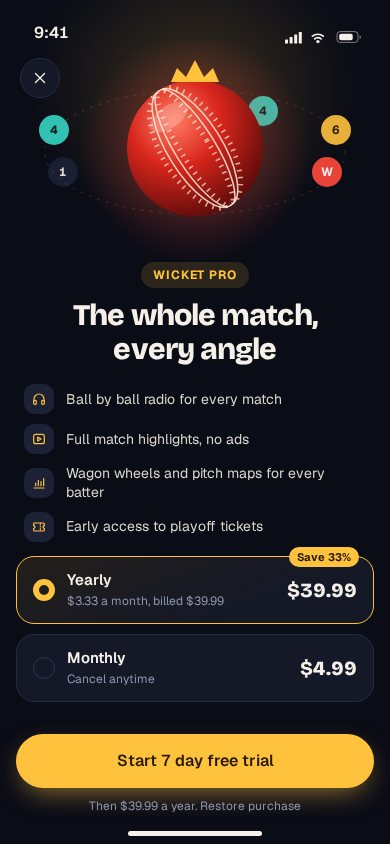
A paywall screen from Wicket, a live cricket scores app template in a Dark-first style. Screen 23 of 25.
Wicket is a complete live cricket app: welcome, picking teams, sign in, a matchday home, a live scoreboard with the over strip and win probability, ball by ball commentary, the full scorecard, wagon wheel and pitch map, match stats, player and team pages, a venue, highlights, fixtures, the points table, search, match predictions, alerts, tickets with a seat map, checkout and a booked ticket, notifications, a Pro plan, profile and settings. Night navy with ball leather red, aqua and gold.
| Detail | Value |
|---|---|
| Screen type | Paywall |
| App | Wicket: Live cricket scores |
| Category | Sports |
| Design language | Dark-first, dark |
| Type | Bricolage Grotesque for headings, Geist for text |
| Colours | #0a0c16 background, #141827 surface, #f5f1e8 text, #8f95ad text-muted, #ff4a3d accent, #ffffff accent-contrast, #36d6c3 secondary, #252b45 border, #ffc23d highlight |
What this screen says
- Wicket Pro
- The whole match,
- every angle
- Ball by ball radio for every match
- Full match highlights, no ads
- Wagon wheels and pitch maps for every batter
- Early access to playoff tickets
- Yearly
- $3.33 a month, billed $39.99
- $39.99Save 33%
- Monthly
- Cancel anytime
- Start 7 day free trial
- Then $39.99 a year. Restore purchase
Around it in Wicket
More paywall screens
- Pitwall Pro: Race engineering
- Elevens Plus: Fantasy cricket leagues
- Scoreboard Plus: Scores and news for every sport
- Bib Plus: Find and enter races
- Courtside Pro: Pickup basketball games
- Tack Pro: Sailing wind and regatta tracker
- Frag Pro: Esports tournaments and teams
- Canter Membership: Riding stables and lessons
- Ollie Pro: Skate spots and clips
- Eddy Pro: River levels for paddlers
- Whistle Club: Grassroots league manager for coaches
- Oche Pro: Darts scorer and leagues
Every sports app paywall screen
What makes a good paywall screen
- Lead with the outcome, not the feature list. The headline should say what changes for the person: "Train smarter every week" beats "Unlock Premium". Three to five benefits underneath are enough; more turns into a wall of ticks nobody reads.
- Show the real price, period and trial terms. State the price, how often it renews and when a free trial turns into a charge, near the button. Apple's App Store guideline 3.1.2 asks subscription apps to make this clear before purchase, and Google Play has similar rules.
- One primary button. The main call to action should be impossible to miss and say what happens: "Start 7-day free trial" or "Subscribe for $4.99/month". A second plan choice is fine; a second competing button is not.
- Make the plans easy to compare. When you offer monthly and yearly, show both prices in the same unit (per month or per week) and mark the saving on the yearly plan in plain numbers, not just a badge.
The full paywall screen guide and every example
Remix Wicket free: describe your own app and it is drawn in this design. Or get its files from $10: Figma, React Native, SwiftUI, Flutter and HTML.