Templates · Onboarding screens · Lifestyle app · Sable
Sable Welcome screen
An onboarding screen from Sable, a fashion store app template in a Luxury style. Screen 1 of 25.
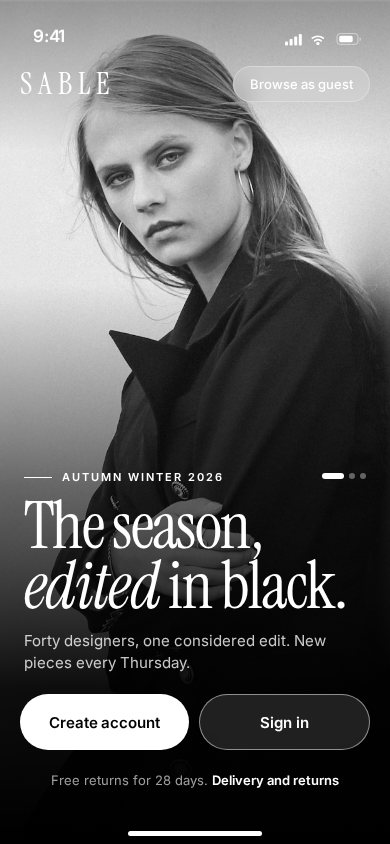
Sable is a complete fashion store: a welcome, sign in, an editorial home, new in, categories with filters, a product page with size pills and a black add to bag bar, a size guide, shop the look, search, a long read story, the bag, a three step checkout, order tracking, returns, a wishlist, designers, a private membership, account and settings. Black and white with big serif type and one oxblood accent.
| Detail | Value |
|---|---|
| Screen type | Onboarding |
| App | Sable: Fashion store |
| Category | Lifestyle |
| Design language | Luxury, light |
| Type | Inter |
| Colours | #ffffff background, #f3f3f1 surface, #000000 text, #6f6f6c text-muted, #000000 accent, #ffffff accent-contrast, #6b1f2a secondary, #e6e6e3 border, #6b1f2a danger |
What this screen says
- SABLE Browse as guest
- Autumn Winter 2026
- The season, edited in black.
- Forty designers, one considered edit. New pieces every Thursday.
- Create account
- Sign in
- Free returns for 28 days. Delivery and returns
Around it in Sable
More onboarding screens
- Vetly Welcome: Pet health record
- Stitch Welcome: A knitting companion drawn as one big knitting chart
- Roost Welcome: Your shared house, stuck to the fridge door
- Trellis Welcome: Vegetable garden planner
- Grain Welcome: Camera and photo editor
- Posy Welcome: Flower delivery and weekly stems
- Fern Welcome: Plant care
- Doorstep Welcome: Homes for sale and rent
- Rewear Welcome: Secondhand fashion marketplace
- Laced Welcome: Sneaker drops and raffles
- Gloss Welcome: Salon and spa booking
- Vow Welcome: Wedding planner
Every lifestyle app onboarding screen
What makes a good onboarding screen
- One idea per screen. Each screen should say one thing in a headline people can read in a second. If a screen needs a paragraph, it is doing too much.
- Personalise with a purpose. Ask a question only if the answer changes what people see next, like a goal, a level or an interest. Then show that the answer mattered.
- Explain permissions before asking. Show your own screen saying why you need notifications, location or the camera before the system prompt. People who understand the reason are more likely to allow it.
- Let people skip. A visible skip or "I'll do this later" respects returning users and the impatient. Make sure skipping still lands them somewhere useful.
The full onboarding screen guide and every example
Remix Sable free: describe your own app and it is drawn in this design. Or get its files from $10: Figma, React Native, SwiftUI, Flutter and HTML.