Templates · Sign in and sign up screens · Travel app · Kerb
Kerb Verify screen
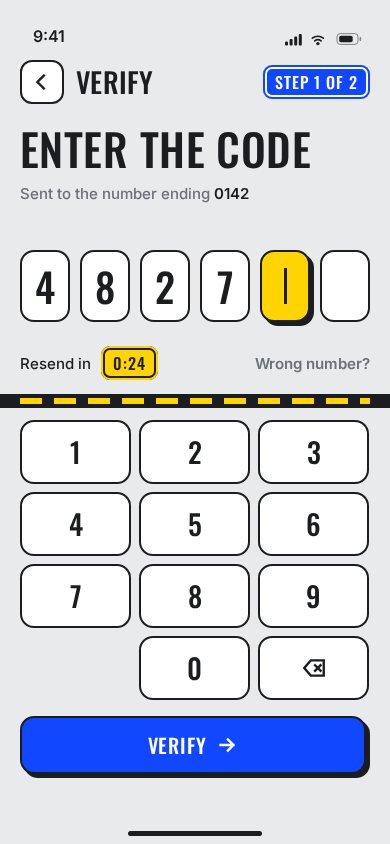
A sign in screen from Kerb, a travel app template in a Brutalist style. Screen 3 of 25.
Kerb is kerb covers parking end to end: a drawn street map with live bays, street bay and garage details with rules by the hour, a duration dial, payment and a live countdown session you can extend. It also handles finding your car, history and receipts, resident permits, vehicles, wallet, fines, reserving ahead and a Kerb Pass plan.
| Detail | Value |
|---|---|
| Screen type | Sign in |
| App | Kerb: Parking that reads like a road sign |
| Category | Travel |
| Design language | Brutalist, light |
| Type | Inter |
| Colours | #e9eaec background, #ffffff surface, #1b1d21 text, #6c7078 text-muted, #1147ff accent, #ffffff accent-contrast, #ffd400 secondary, #1b1d21 border, #e5372b danger |
What this screen says
- Verify
- Step 1 of 2
- Enter the code
- Sent to the number ending 0142
- Resend in 0:24
- Wrong number?
Around it in Kerb
More sign in and sign up screens
- Roamly Sign in: Trips, stays and experiences
- Jaunt Sign in: Bus, train and flight booking
- Spoke Sign in: Bike sharing
- Navara Sign in: Yacht charter
- Voya Sign in: Travel booking
- Wheelhouse Sign in: Driver app for ride hailing
- Fuelup Sign in: Pay at the pump and car wash
- Omnia Sign in: Super app for rides, food and payments
- Staya Sign in: Homes and stays from local hosts
- Lodge Sign in: Hotels, deals and reservations
- Fare Sign in: Flight search and price alerts
- Rove Sign in: Reviews and things to do
Every travel app sign in screen
What makes a good login screen
- Offer the fastest option first. Sign in with Apple, Google or a passkey takes one tap. If you support them, put them above the email form. Apple asks apps that use a third-party login like Google to also offer an equivalent privacy-focused option, such as Sign in with Apple.
- Separate sign in from sign up clearly. Use different headings and buttons, and a clear link to switch. People who already have an account should never end up creating a second one by accident.
- Use the right keyboard and autofill. Email fields should open the email keyboard and support password managers and one-time code autofill. Small details, big difference in how many people get through.
- Write errors that help. "That password doesn't match this email" is better than "Error 401". Keep what people typed so they only fix the part that was wrong.
The full login screen guide and every example
Remix Kerb free: describe your own app and it is drawn in this design. Or get its files from $10: Figma, React Native, SwiftUI, Flutter and HTML.