Templates · Sign in and sign up screens · Travel app · Lodge
Lodge Sign in screen
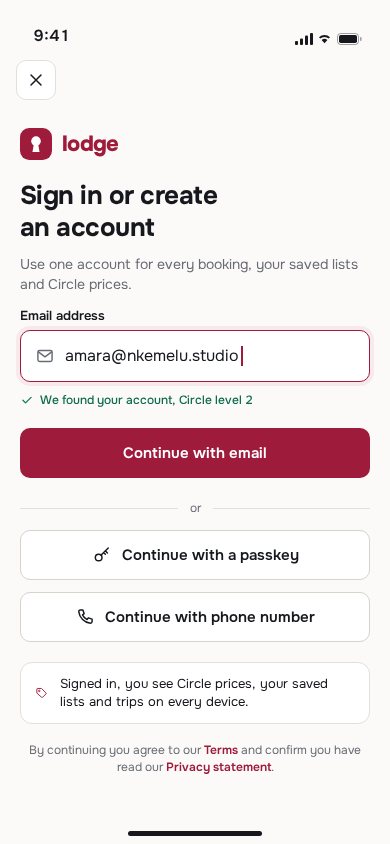
A sign in screen from Lodge, a travel app template in an Enterprise style. Screen 2 of 25.
Lodge is a complete hotel booking app: welcome and sign in, a home with the search card and Circle deals, destination search, a date and guest picker, results with sort, filters and a price map, a hotel page with photos, reviews and room choices, guest details, payment and a confirmation, trips, a booking with directions, a chat with the property, saved lists, Lodge Circle membership, travel stats, notifications, account and settings. Warm grey and white with deep claret, green and gold.
| Detail | Value |
|---|---|
| Screen type | Sign in |
| App | Lodge: Hotels, deals and reservations |
| Category | Travel |
| Design language | Enterprise, light |
| Type | Onest |
| Colours | #f3f2ee background, #ffffff surface, #16181d text, #686c75 text-muted, #9e1b3c accent, #ffffff accent-contrast, #11795a secondary, #e2e0d9 border, #d0362b danger |
What this screen says
- lodge
- Sign in or create
- an account
- Use one account for every booking, your saved lists and Circle prices.
- Email address
- amara@nkemelu.studio
- We found your account, Circle level 2
- Continue with email
- or
- Continue with a passkey
- Continue with phone number
- Signed in, you see Circle prices, your saved lists and trips on every device.
- By continuing you agree to our Terms and confirm you have read our Privacy statement.
Around it in Lodge
More sign in and sign up screens
- Berth Sign in: Night trains and sleeper cabins
- Caravan Sign in: Campervan rental and road trips
- Layover Sign in: Airport guide, gates and lounges
- Permit Sign in: Visas and travel documents wallet
- Backroad Sign in: Road trip planner with stops
- Bunk Sign in: Hostels and backpacker meetups
- Piazza Sign in: Self-guided city walking tours
- Fjord Sign in: Cruise companion on board
- Kerb Sign in: Parking that reads like a road sign
- Linea Sign in: City transit
- Hollow Sign in: Cabin and boutique stays
- Aloft Sign in: Flight tracker
Every travel app sign in screen
What makes a good login screen
- Offer the fastest option first. Sign in with Apple, Google or a passkey takes one tap. If you support them, put them above the email form. Apple asks apps that use a third-party login like Google to also offer an equivalent privacy-focused option, such as Sign in with Apple.
- Separate sign in from sign up clearly. Use different headings and buttons, and a clear link to switch. People who already have an account should never end up creating a second one by accident.
- Use the right keyboard and autofill. Email fields should open the email keyboard and support password managers and one-time code autofill. Small details, big difference in how many people get through.
- Write errors that help. "That password doesn't match this email" is better than "Error 401". Keep what people typed so they only fix the part that was wrong.
The full login screen guide and every example
Remix Lodge free: describe your own app and it is drawn in this design. Or get its files from $10: Figma, React Native, SwiftUI, Flutter and HTML.